
Fulfil shop orders
Track orders and update their delivery status.
FEMNET staffDone in: Facilitator hub3 steps
- 1
Open Shop Orders
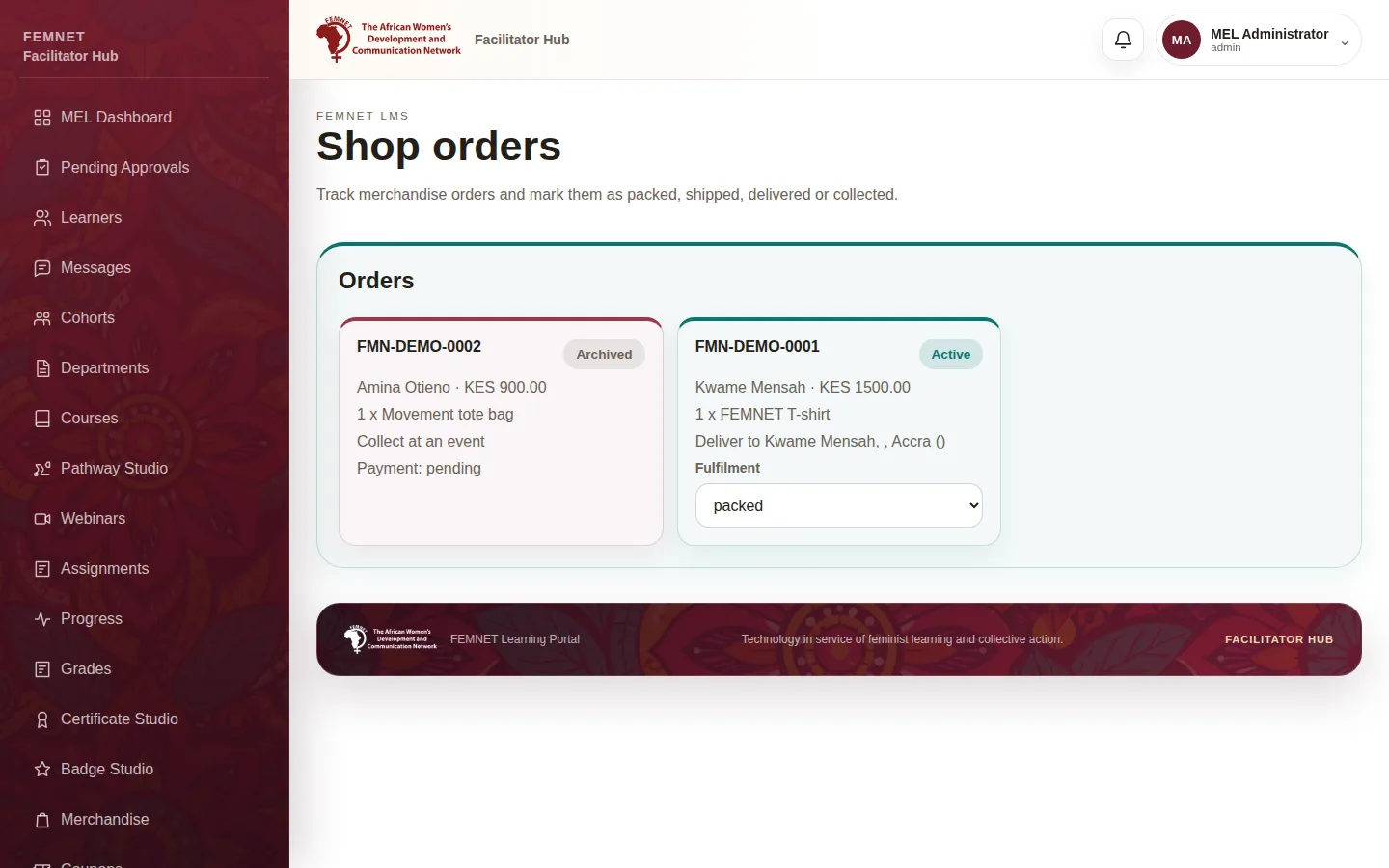
Select Shop Orders in the hub menu. Each order shows its reference, learner, items, total, payment status and delivery method.
- 2
Check the payment
Only fulfil orders marked Paid. Orders Awaiting payment or with Payment failed have not been paid through . Digital orders need no fulfilment; the learner downloads the item from their orders page.
- 3
Update the fulfilment status
Under Fulfilment, move a physical order through Packed, Shipped and Delivered, or Collected if it was collected at an event. The learner sees the status in their orders.
Step 1: Open Shop Orders