
Using the shop
Buying merchandise, claiming rewards and using promo codes.
Supporting learnersDone in: Learner app4 steps
- 1
Browse
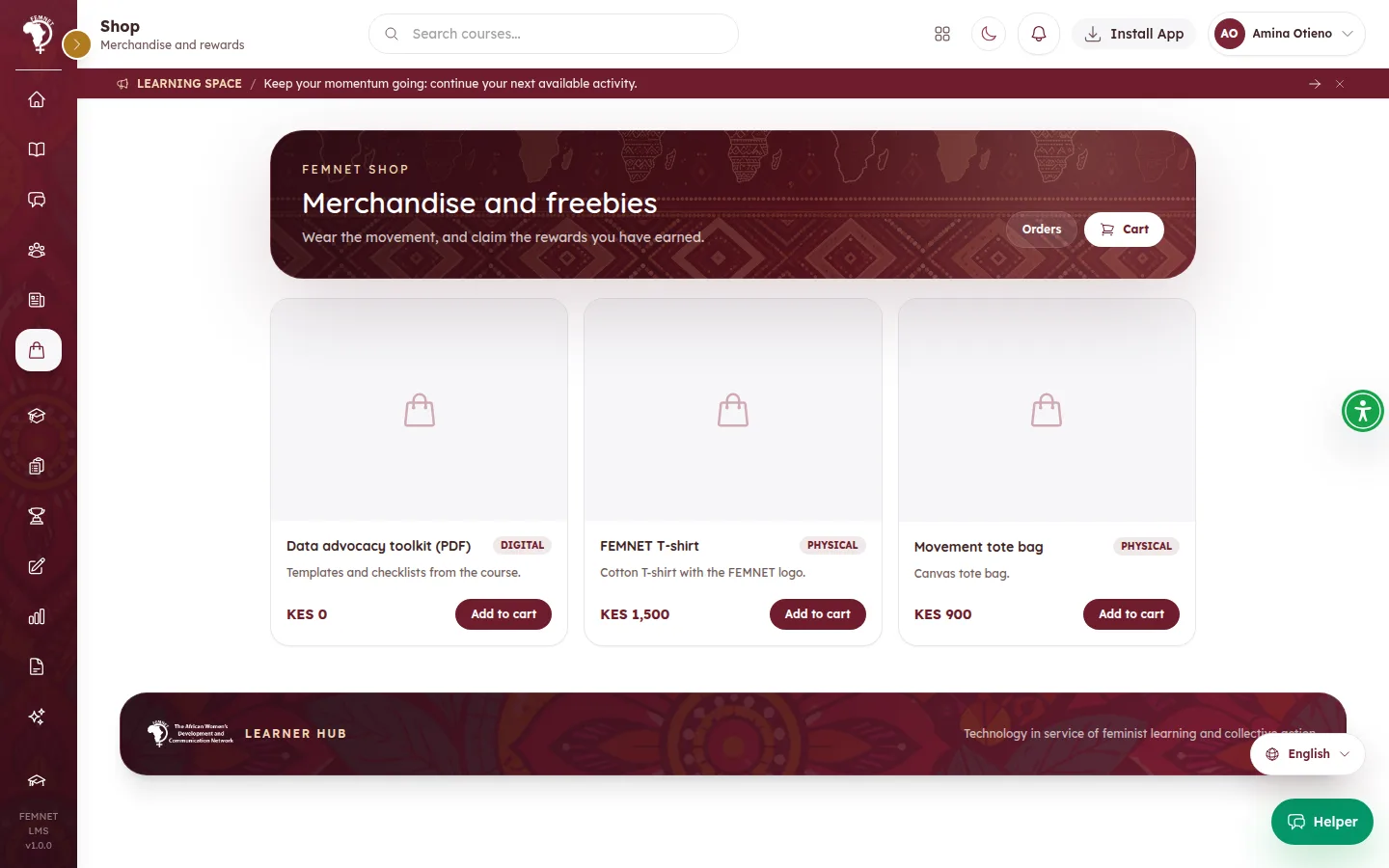
Learners open Shop from the menu or Quick links. Free rewards they have earned appear under Your rewards with Claim free.
- 2
Add to cart and check out
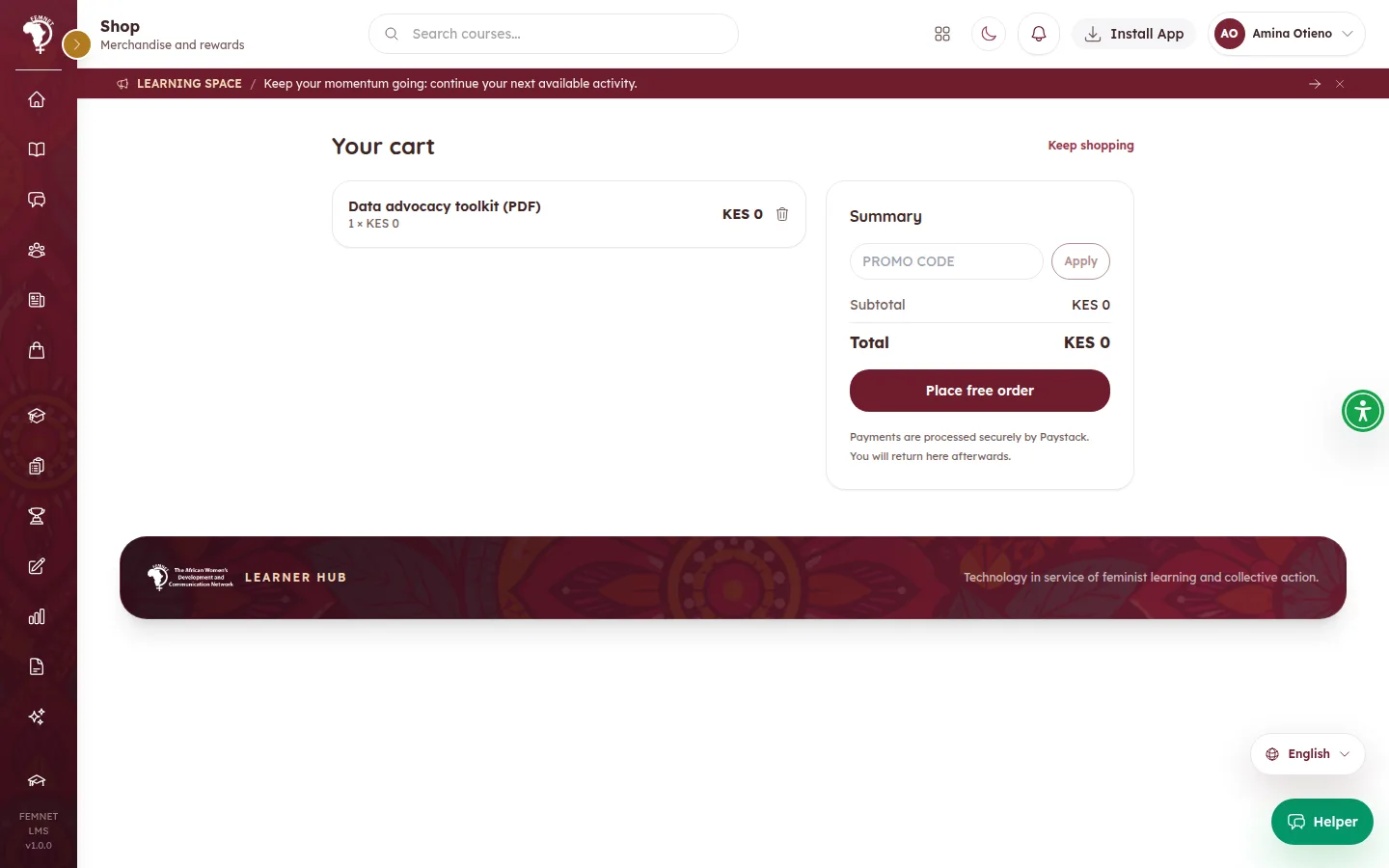
They select Add to cart, open the cart, choose delivery or collection, and enter a if they have one.
- 3
Pay
Pay with Paystack opens 's secure page. Afterwards they return to the portal.
- 4
Track orders
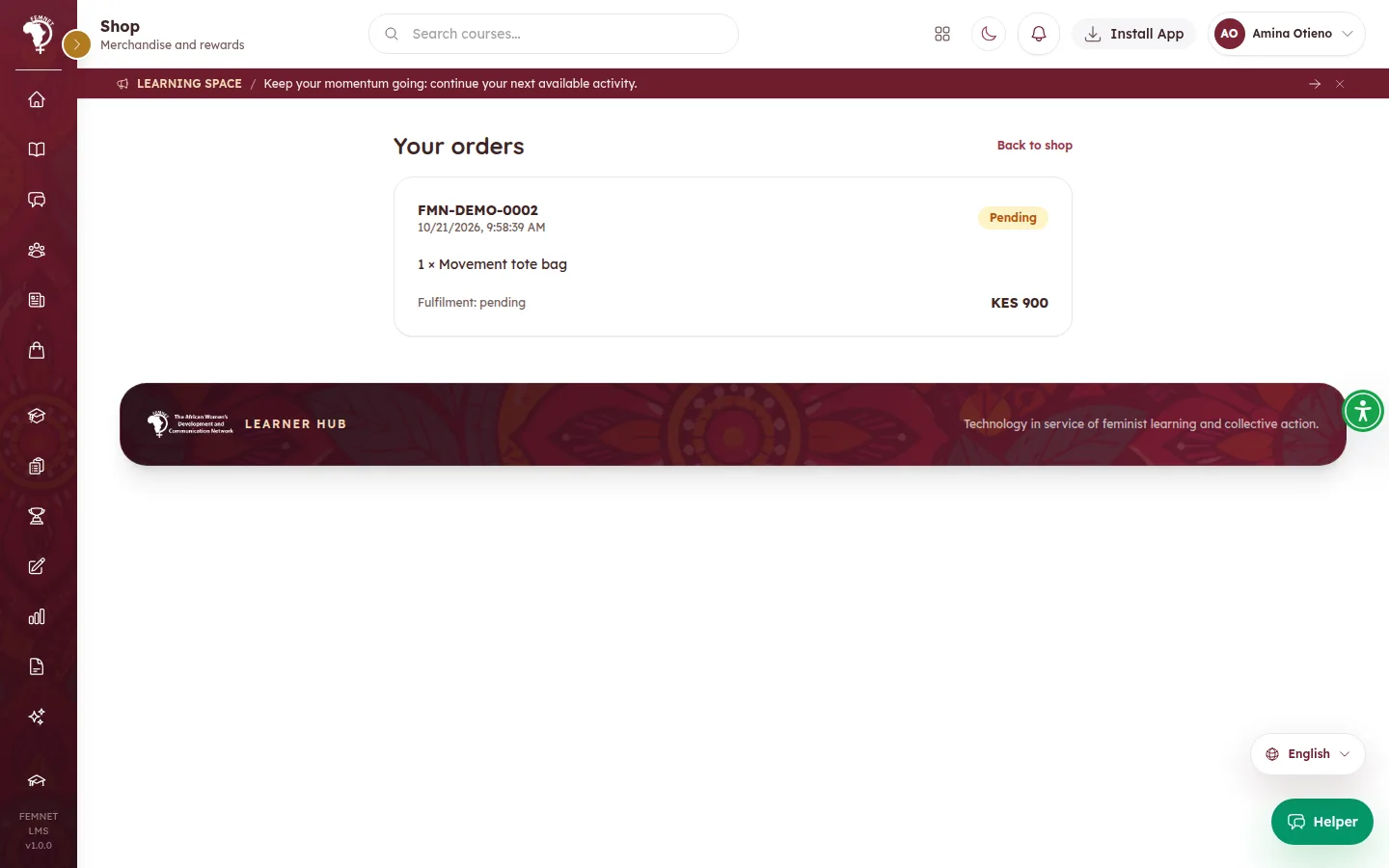
Orders lists each order's status. Digital items have a Download button.
Step 1: Browse