
Certificates and transcripts
How learners get certificates and request a transcript.
- 1
Becoming eligible
A learner is eligible when every activity in the course is complete and their assessment average is at least the 70% . The learner app then asks for a certificate automatically.
- 2
Issuing
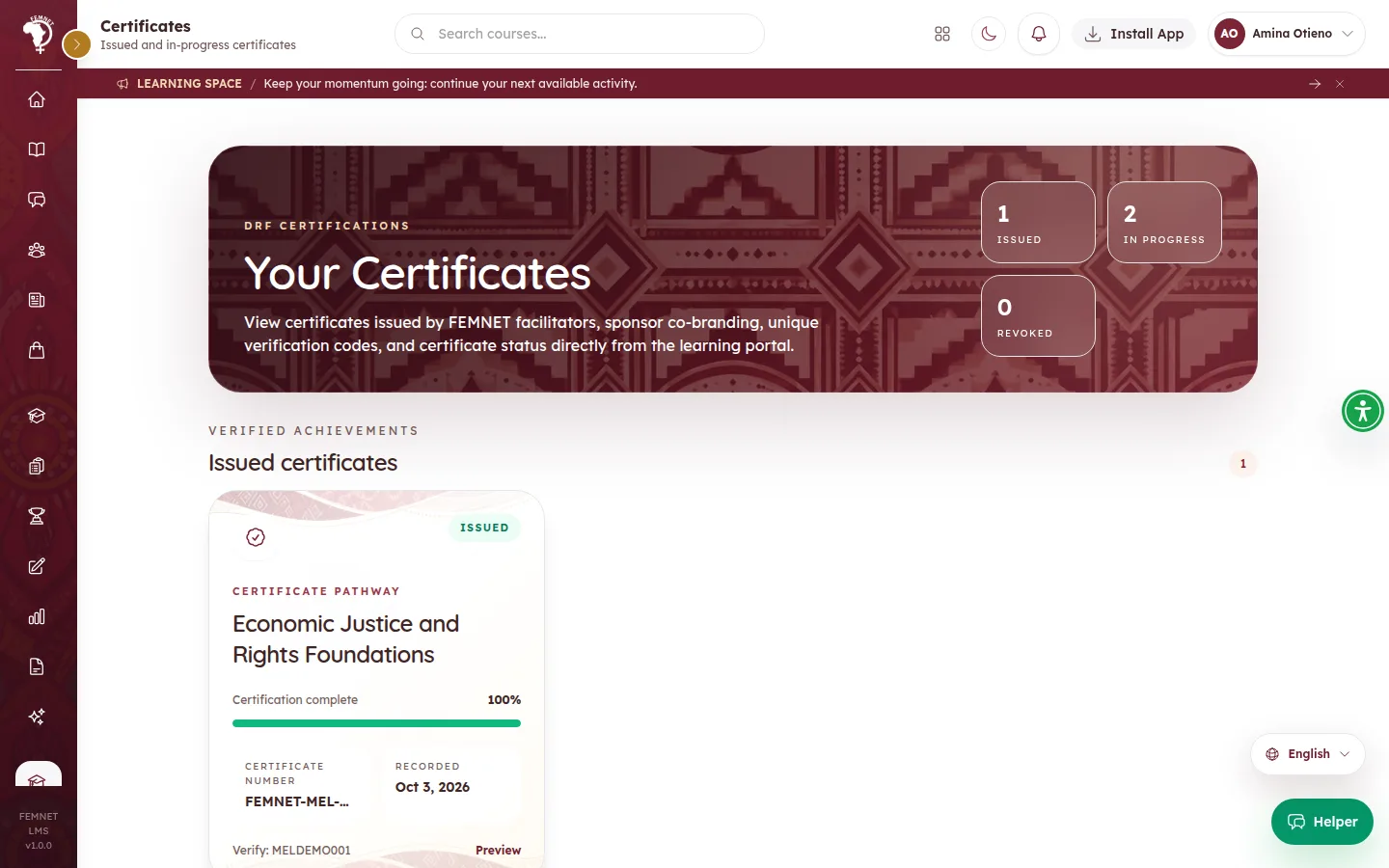
Certificates are issued when staff complete the learner's cohort, or assign a Certificate Studio design. The learner gets an email and sees it under Certificates, with the FEMNET seal, a , a QR code and any sponsor co-branding.
- 3
Proving it is genuine
Employers or partners scan the QR code, or enter the verification code on the learner app's Check a certificate page (/verify). It confirms the certificate is genuine and shows only what is printed on it, never the learner's contact details.
- 4
Request a transcript
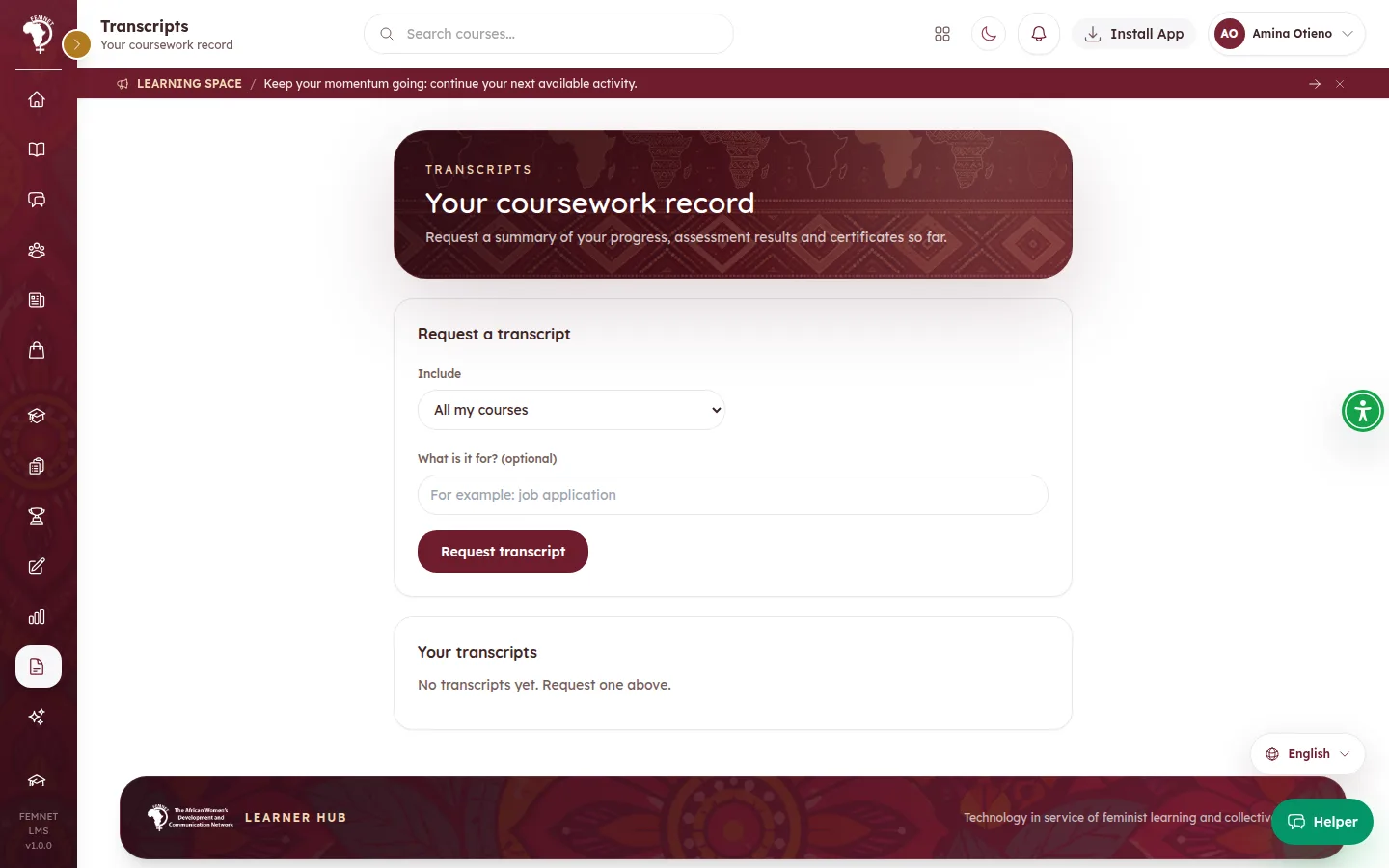
Under Transcripts, the learner selects Request a transcript, chooses All my courses or A single course, optionally says what it is for, and submits. Selecting Open shows the , which they can print or save as a PDF.
Step 2: Issuing