
Write lessons with the lesson editor
Build a rich lesson from headings, text, pictures, video and reflection prompts.
FacilitatorsDone in: Facilitator hub5 steps
- 1
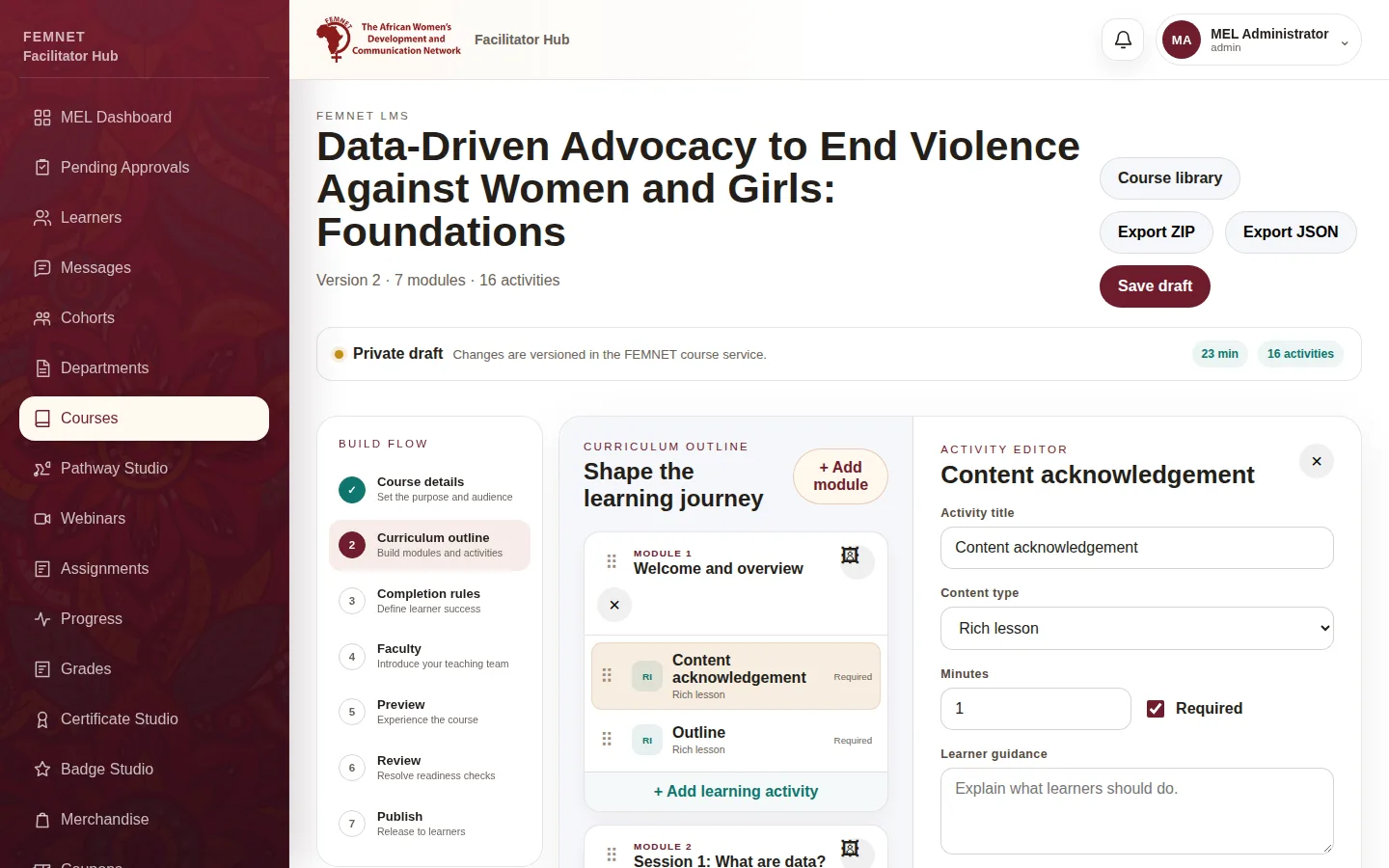
Open a rich lesson
In Curriculum outline, select an activity whose Content type is Rich lesson. The lesson editor appears beneath its settings.
- 2
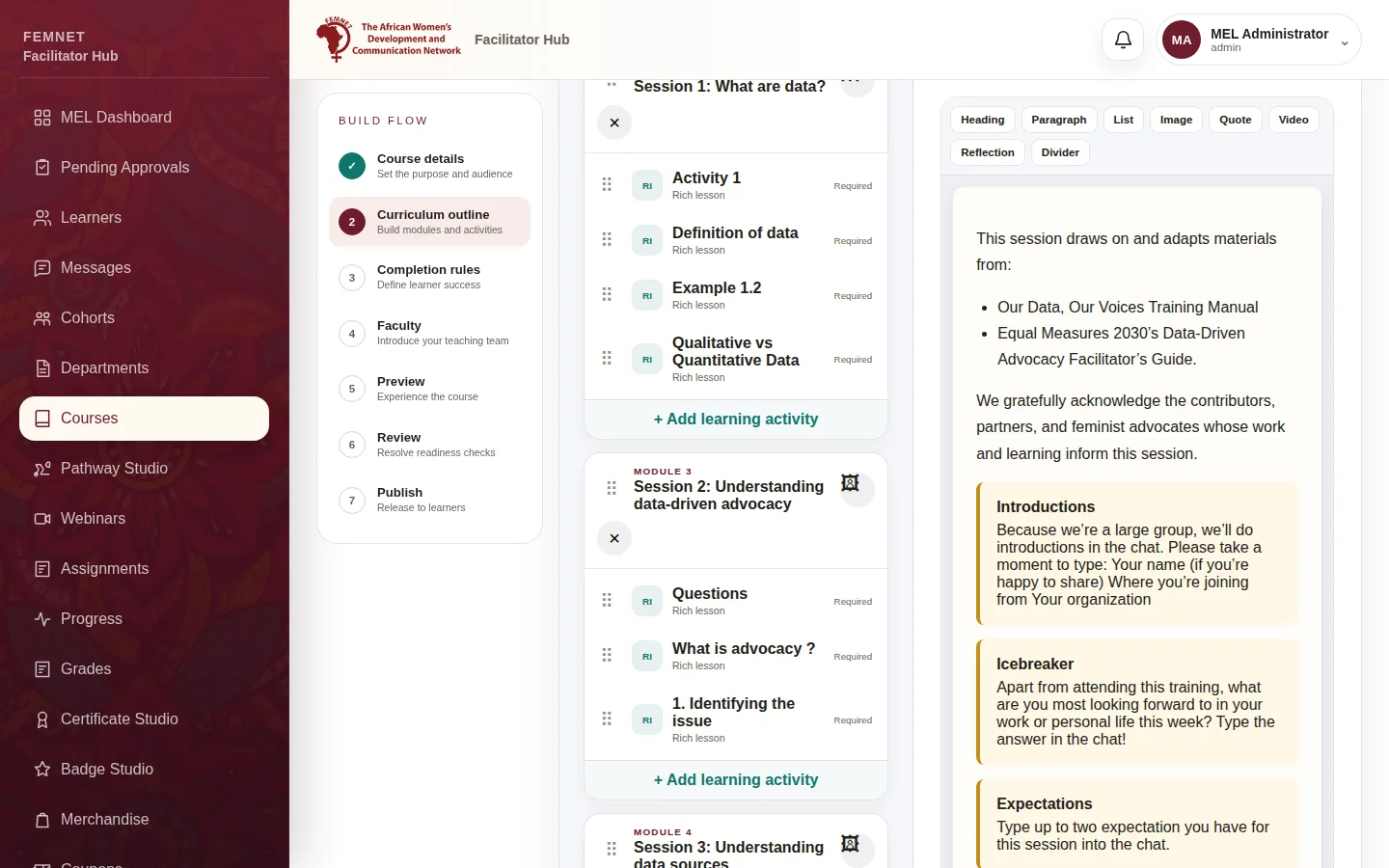
Add blocks
Drag a block from the toolbar into the lesson: Heading, Paragraph, List, Image, Quote, Video, Reflection or Divider. Select a block to edit it.
- 3
Pictures
In an Image block, select Upload picture and choose a file. Always fill in Alt text so learners using screen readers know what the picture shows, and add a Caption if useful.
- 4
Video
In a Video block, paste a YouTube or Vimeo Video link and give it a Video title.
- 5
Tidy up
Select a block and use Delete selected to remove it. Select Save draft often.
Step 1: Open a rich lesson