
Create and manage cohorts
Create a cohort, assign its courses and check its roster.
FacilitatorsDone in: Facilitator hub4 steps
- 1
Create a cohort
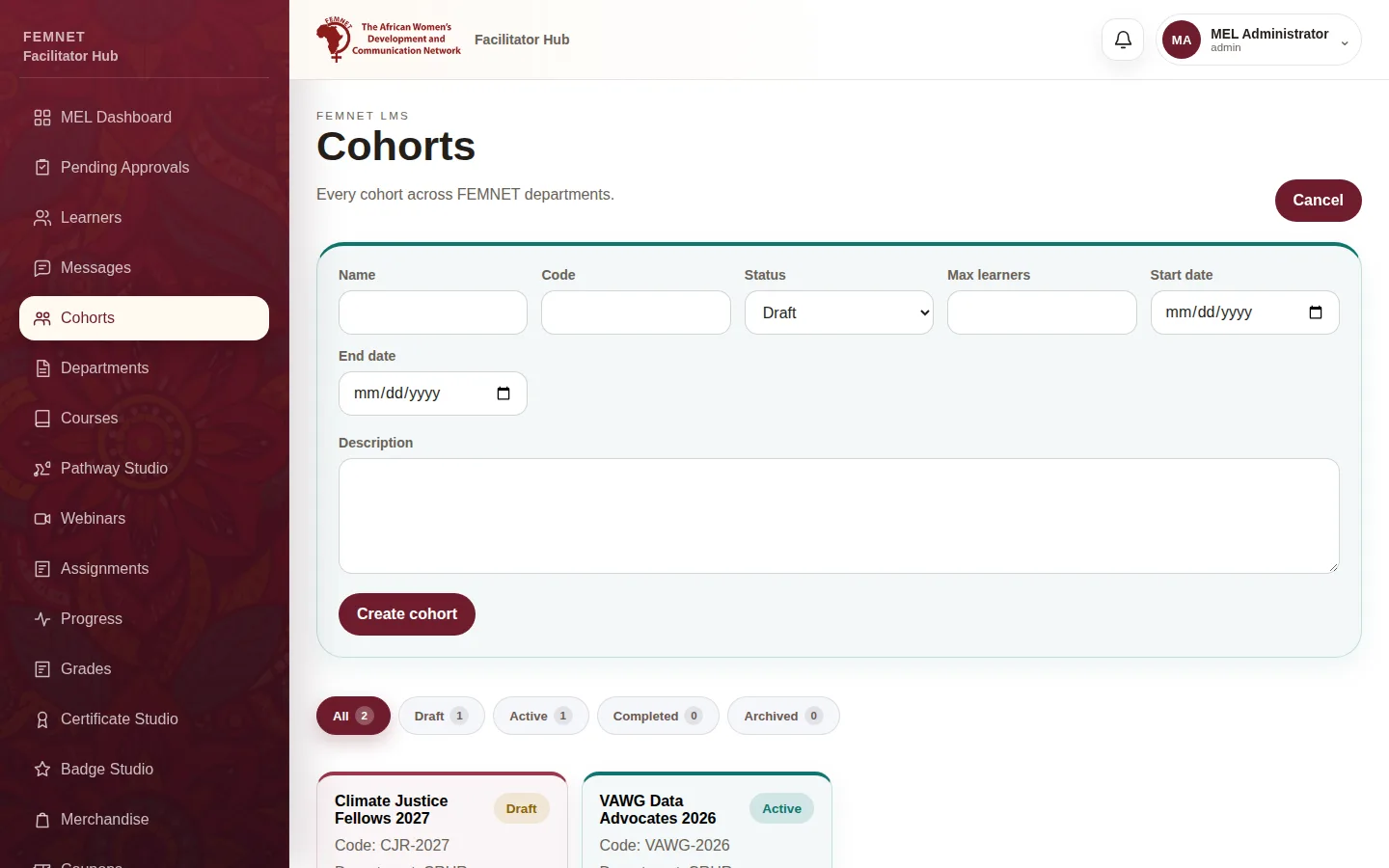
Select Cohorts, then New cohort. Enter a Name, a Code, a Status, Max learners, and the Start date and End date. Select Create cohort.
- 2
Filter cohorts
Use the tabs (All, Draft, Active, Completed, Archived) to find a . Select one to open it.
- 3
Assign courses
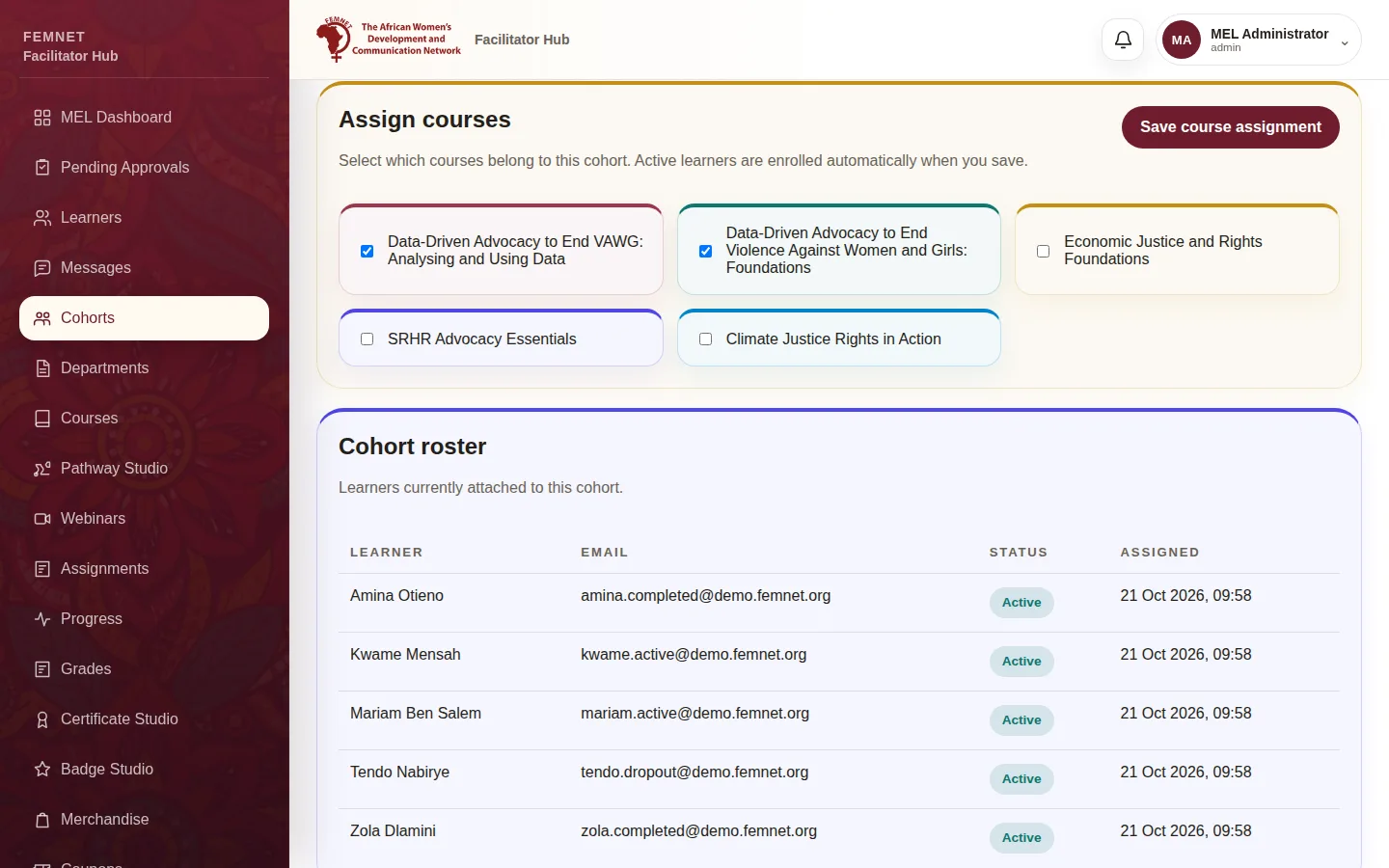
Under Assign courses, tick the published courses that belong to this cohort and select Save course assignment. Active learners in the cohort are enrolled automatically.
- 4
Check the roster
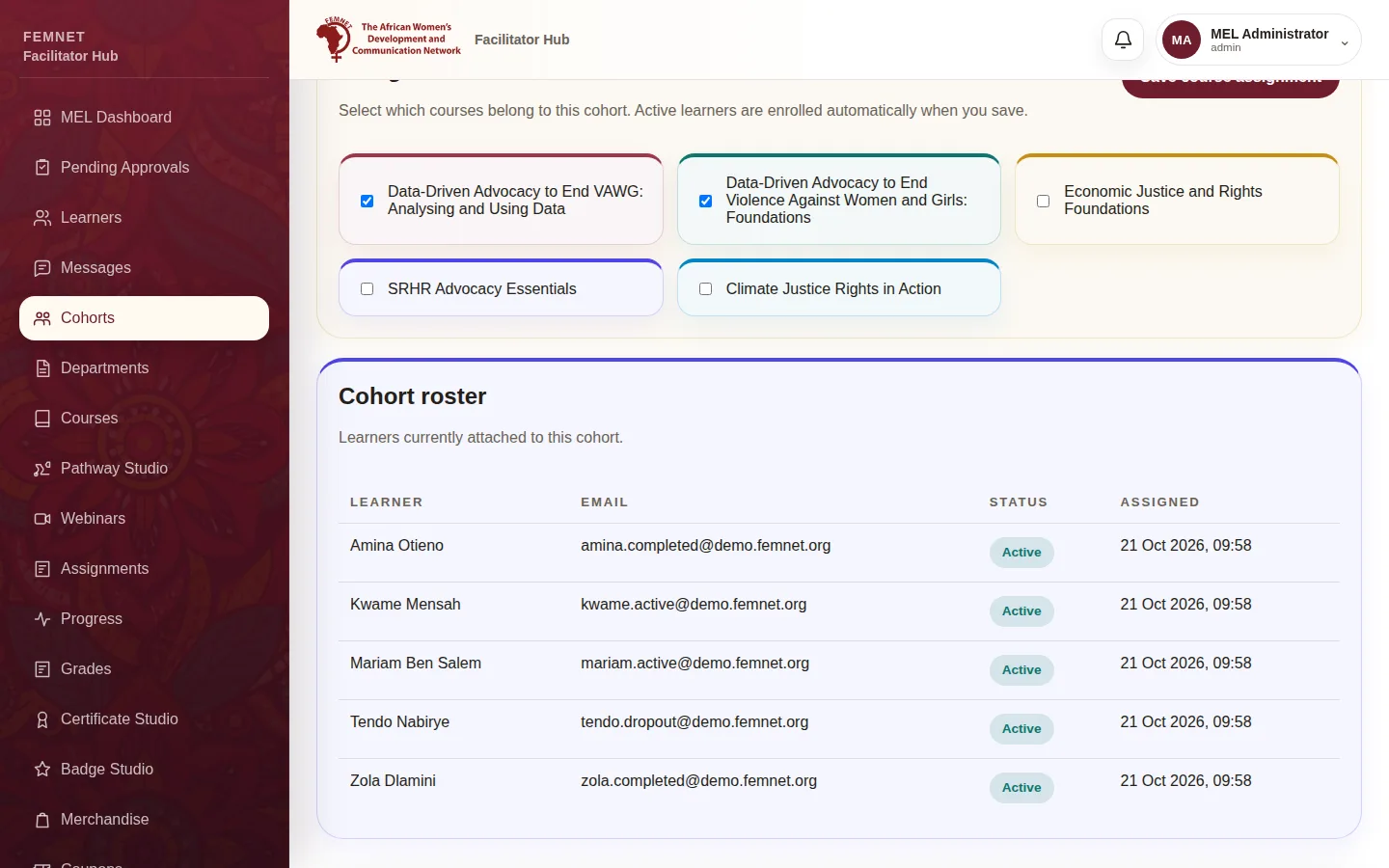
Cohort roster lists the learners attached. Add learners when approving them, or from their learner record under Assign to cohort.
Step 1: Create a cohort