
Create and award badges
Design badges, set their criteria and award them to a course or cohort.
FEMNET staffDone in: Facilitator hub4 steps
- 1
Open Badge Studio
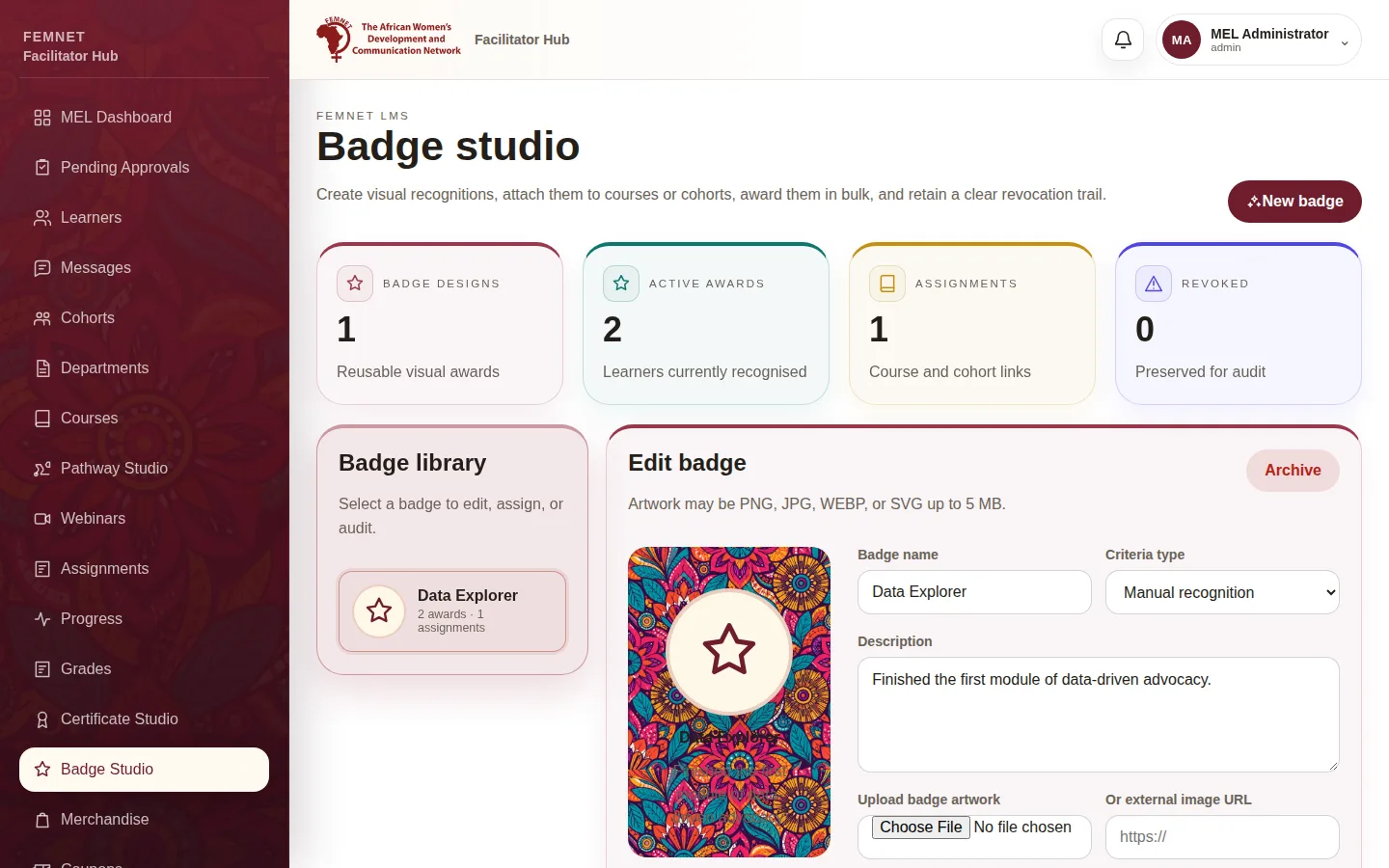
Select Badge Studio in the hub menu. Badge library shows existing ; select one or select New badge.
- 2
Design the badge
Enter a Badge name, choose a Criteria type (Manual recognition, Course completion, Cohort completion or Learning milestone) and a Description. Upload artwork (PNG, JPG, WEBP or SVG up to 5 MB) or paste an image link. Select Create badge.
- 3
Assign it
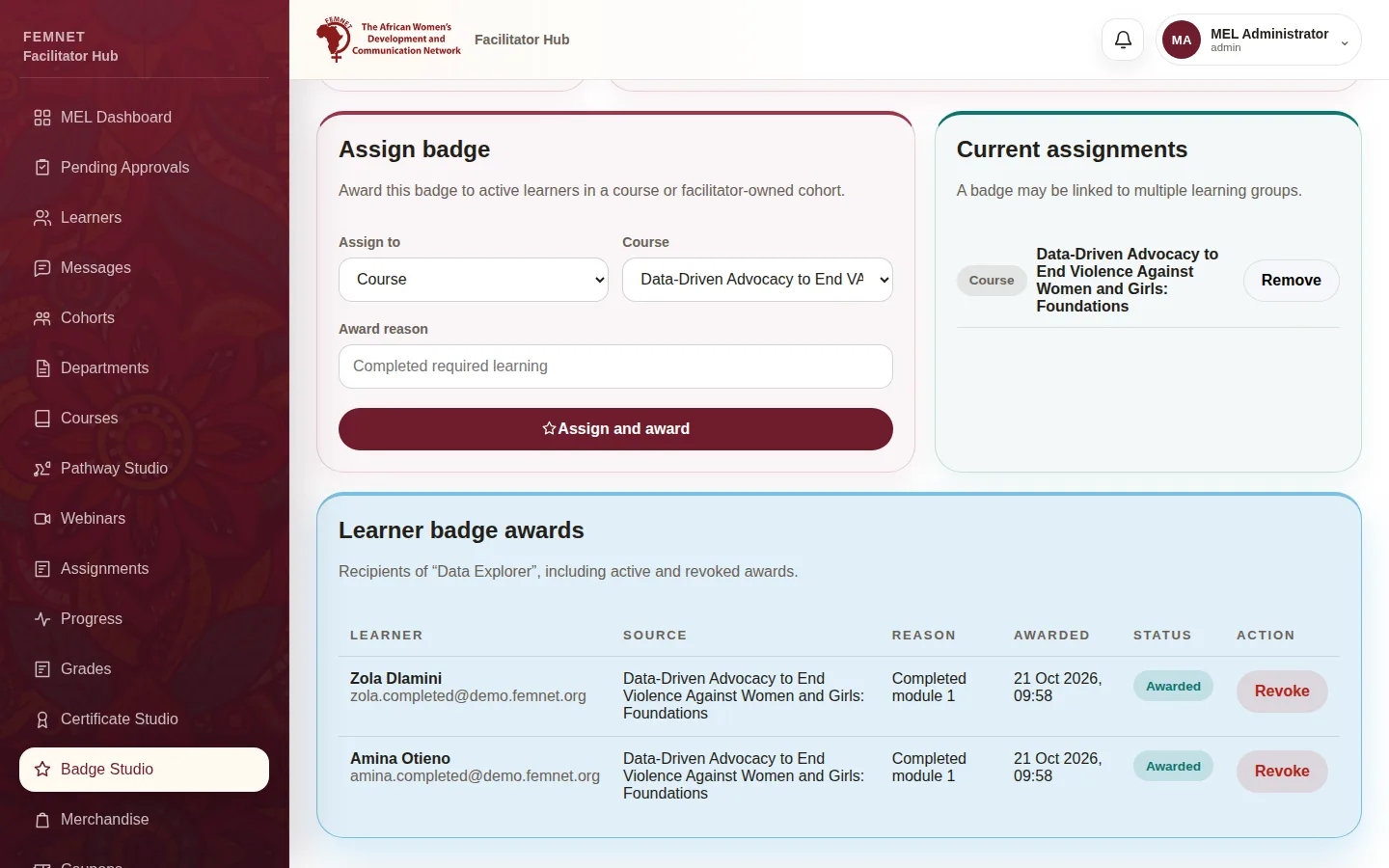
Under Assign badge, choose a course or cohort, add an Award reason and select Assign and award. Active learners in that group receive it.
- 4
Audit and revoke
Learner badge awards lists who has the badge. Select Revoke to take one back; the revocation is recorded.
Step 1: Open Badge Studio