
Reward learners with free items
Give a product free to a department, a cohort, one learner or the first people to reach a milestone.
FEMNET staffDone in: Facilitator hub4 steps
- 1
Open Merchandise
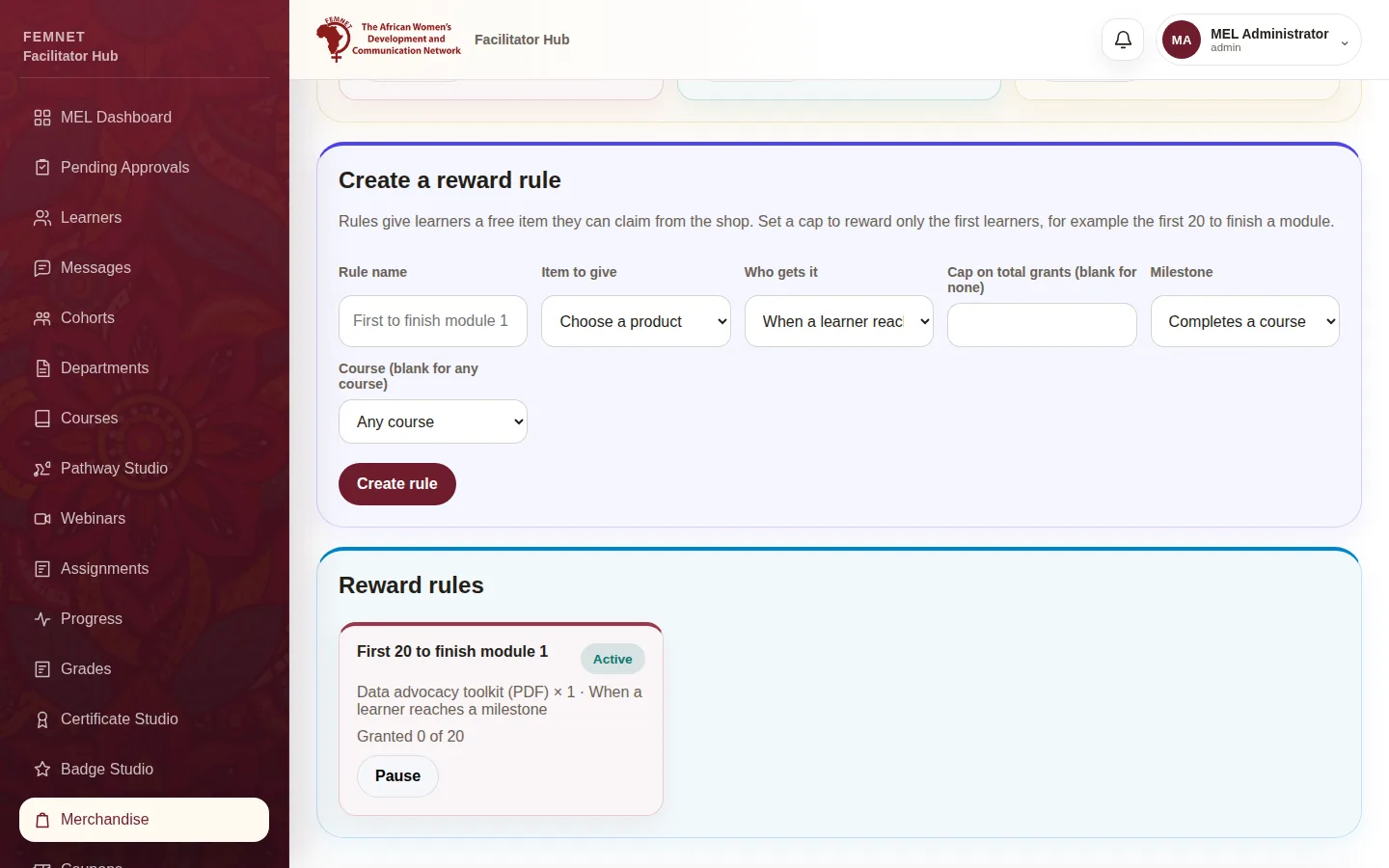
Select Merchandise in the hub menu and scroll to Create a reward rule.
- 2
Choose the item and audience
Give the rule a Rule name, choose the Item to give, and under Who gets it pick a department, a cohort, a single learner (by email) or a milestone.
- 3
Set a milestone and a cap
For a milestone, choose Completes a course or Completes a module, and optionally a specific course or module. Set Cap on total grants to reward only the first learners, for example the first 20 to finish module 1.
- 4
Create the rule
Select Create rule. Eligible learners see the item under Your rewards in the shop and can claim it free. Pause a rule from Reward rules to stop new grants.
Step 1: Open Merchandise