
Create promo codes
Make discount codes learners can use at checkout.
FEMNET staffDone in: Facilitator hub4 steps
- 1
Open Coupons
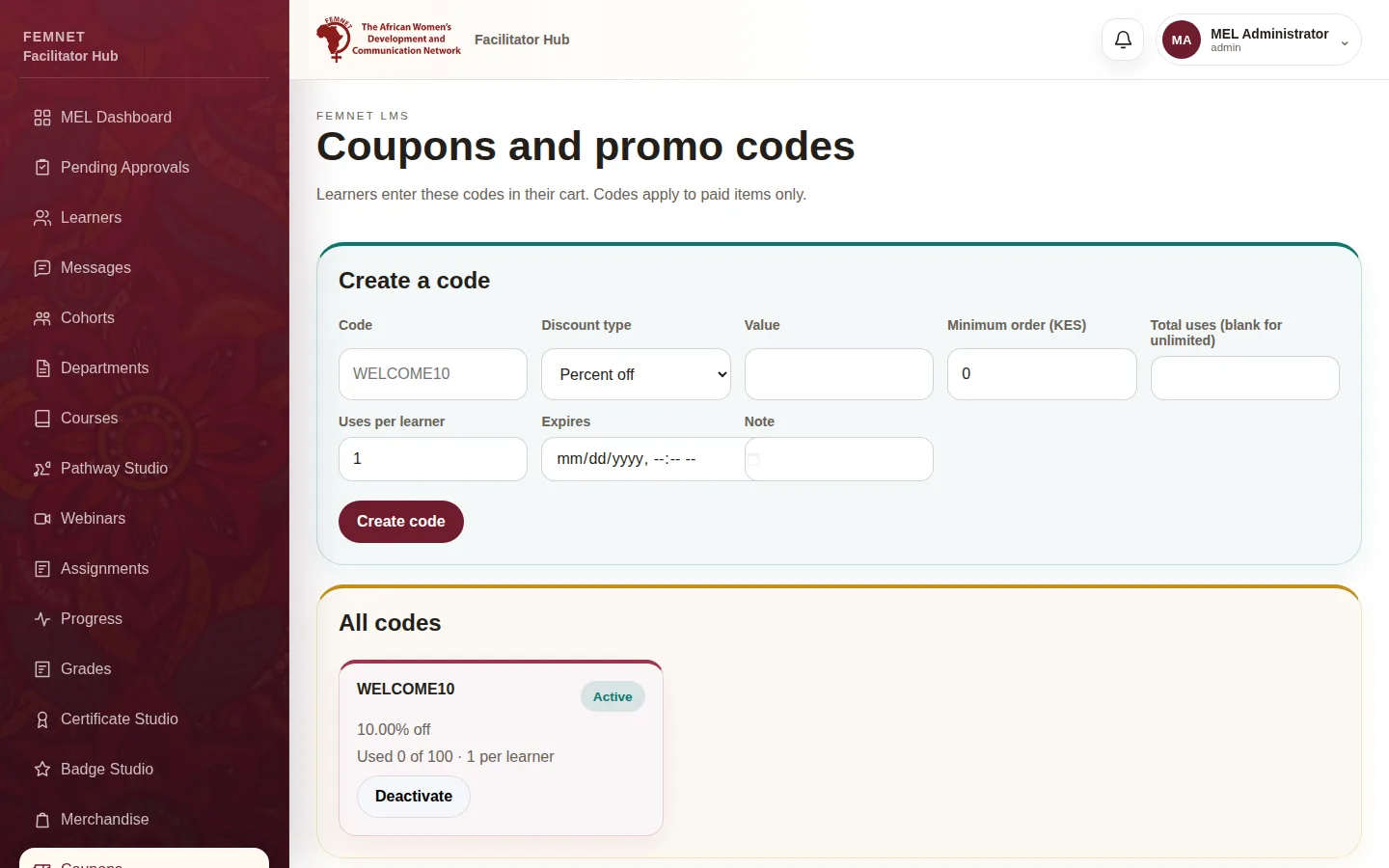
Select Coupons in the hub menu. Codes only apply to paid items.
- 2
Create the code
Under Create a code, enter the Code (for example
WELCOME10) and choose Percent off or Fixed amount off (KES), then the Value. - 3
Set limits
Optionally set a Minimum order (KES), Total uses (blank for unlimited), Uses per learner and an Expires date. Add a Note to remember why it exists.
- 4
Share it
Select Create code and share it with learners. They enter it in their cart under Promo code.
Step 1: Open Coupons