
Move a course between servers
Export a course with its pictures as a ZIP and import it elsewhere.
FacilitatorsDone in: Facilitator hub3 steps
- 1
Export the course
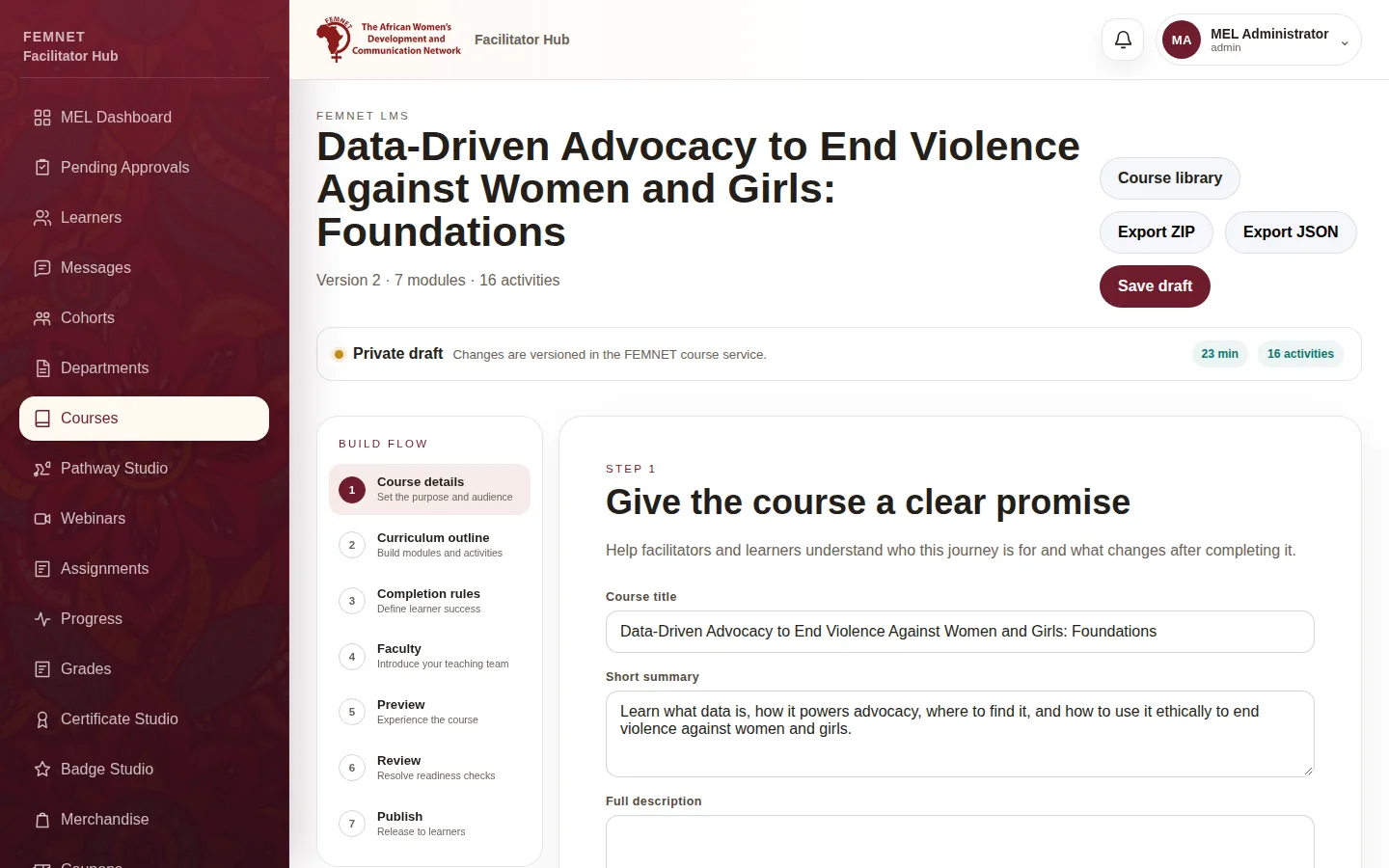
Open the course in Course Studio and select Export ZIP at the top. The holds every module, lesson and picture. Export JSON saves the text only, without pictures.
- 2
Import it on the other server
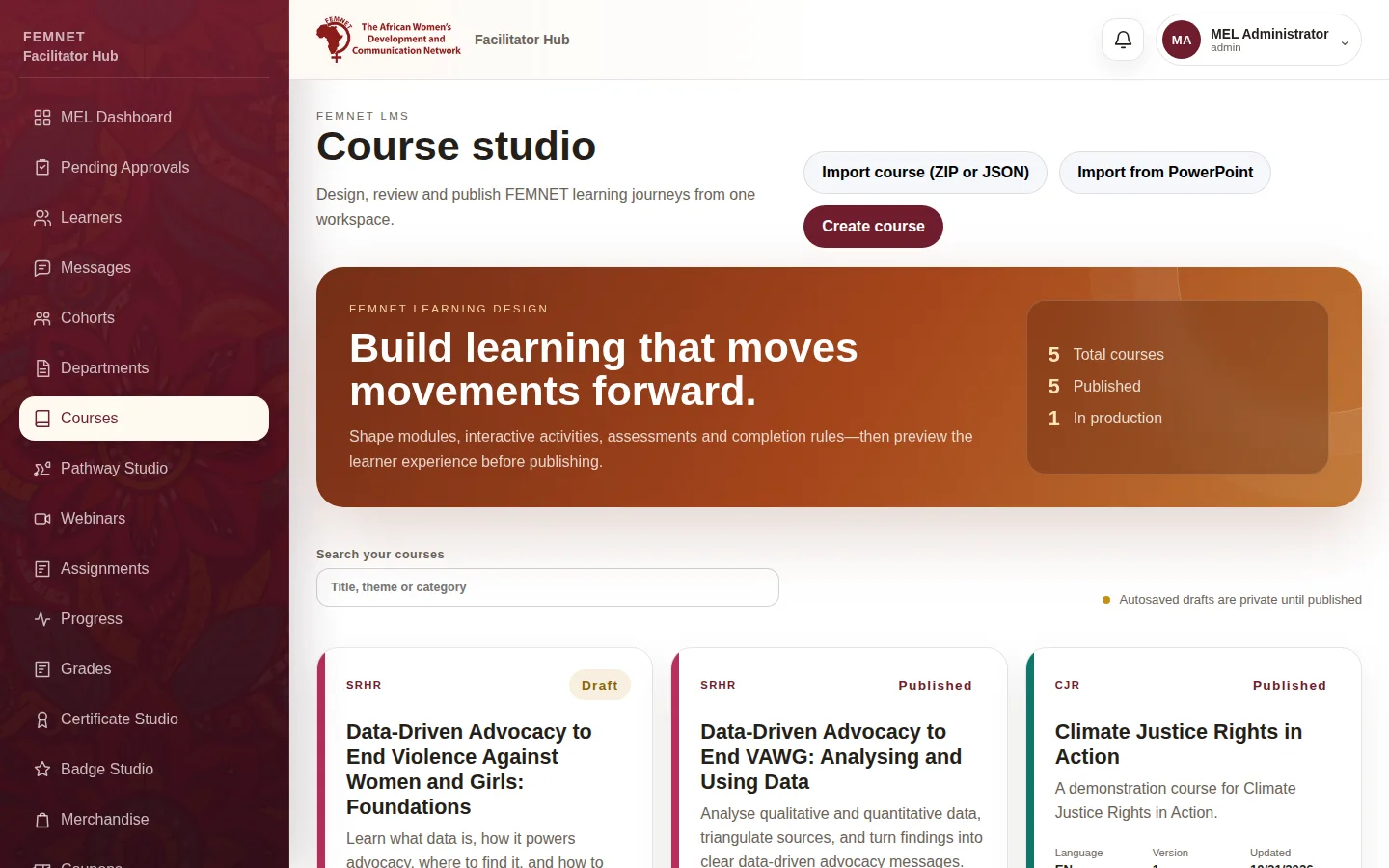
Sign in to the other hub, open Courses and select Import course (ZIP or JSON). Choose the file.
- 3
Check and publish
The import becomes a new private draft. Check the pictures and lessons, then publish it as normal.
Step 1: Export the course