
Taking a course
How learners move through modules, lessons and practice checks.
- 1
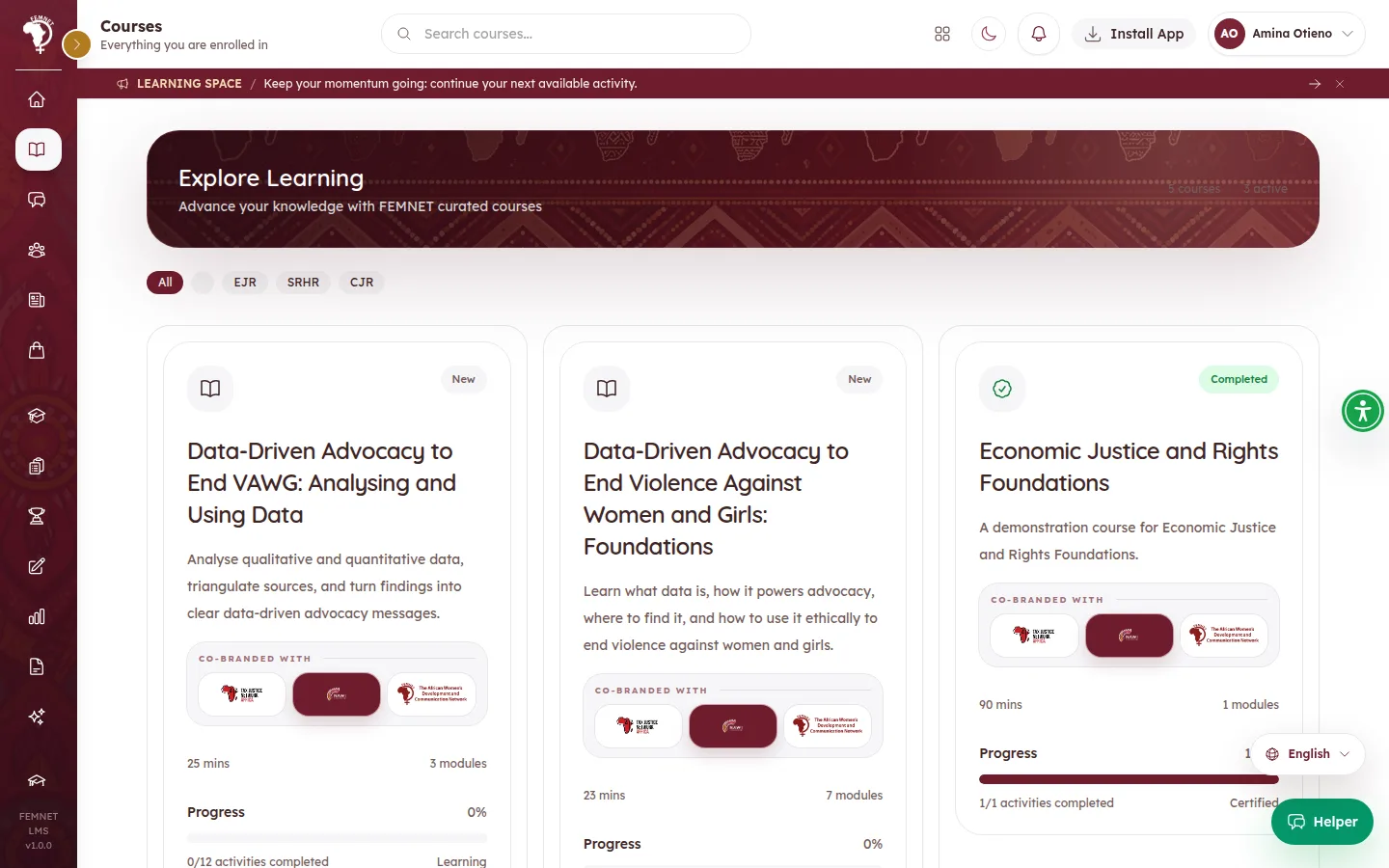
Find the course
Courses assigned through a cohort or pathway appear on the Dashboard and under Courses. The learner selects Open Course.
- 2
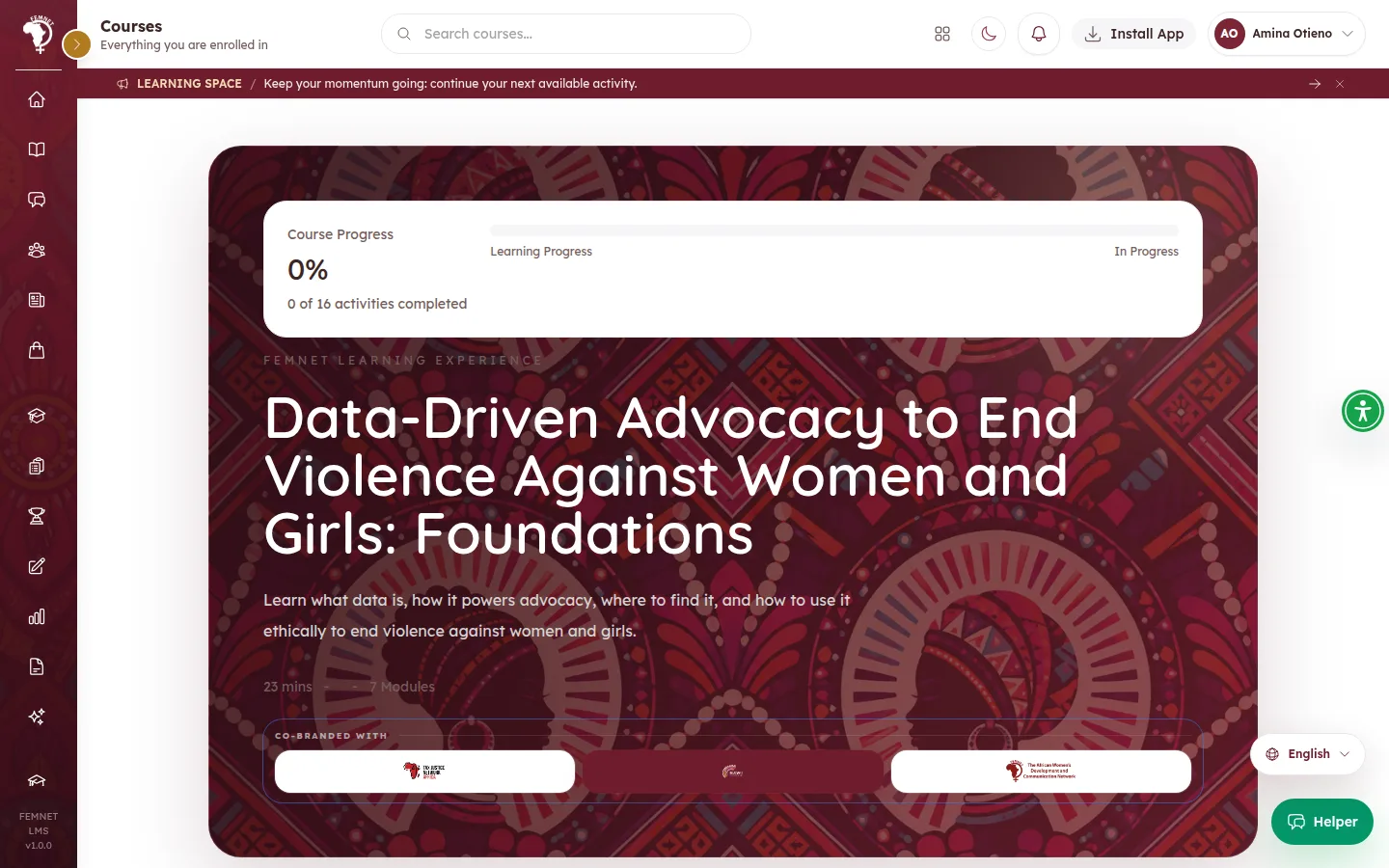
Work through modules in order
unlock in order: the learner must finish one before the next opens. Course Navigation shows the modules and the inside each.
- 3
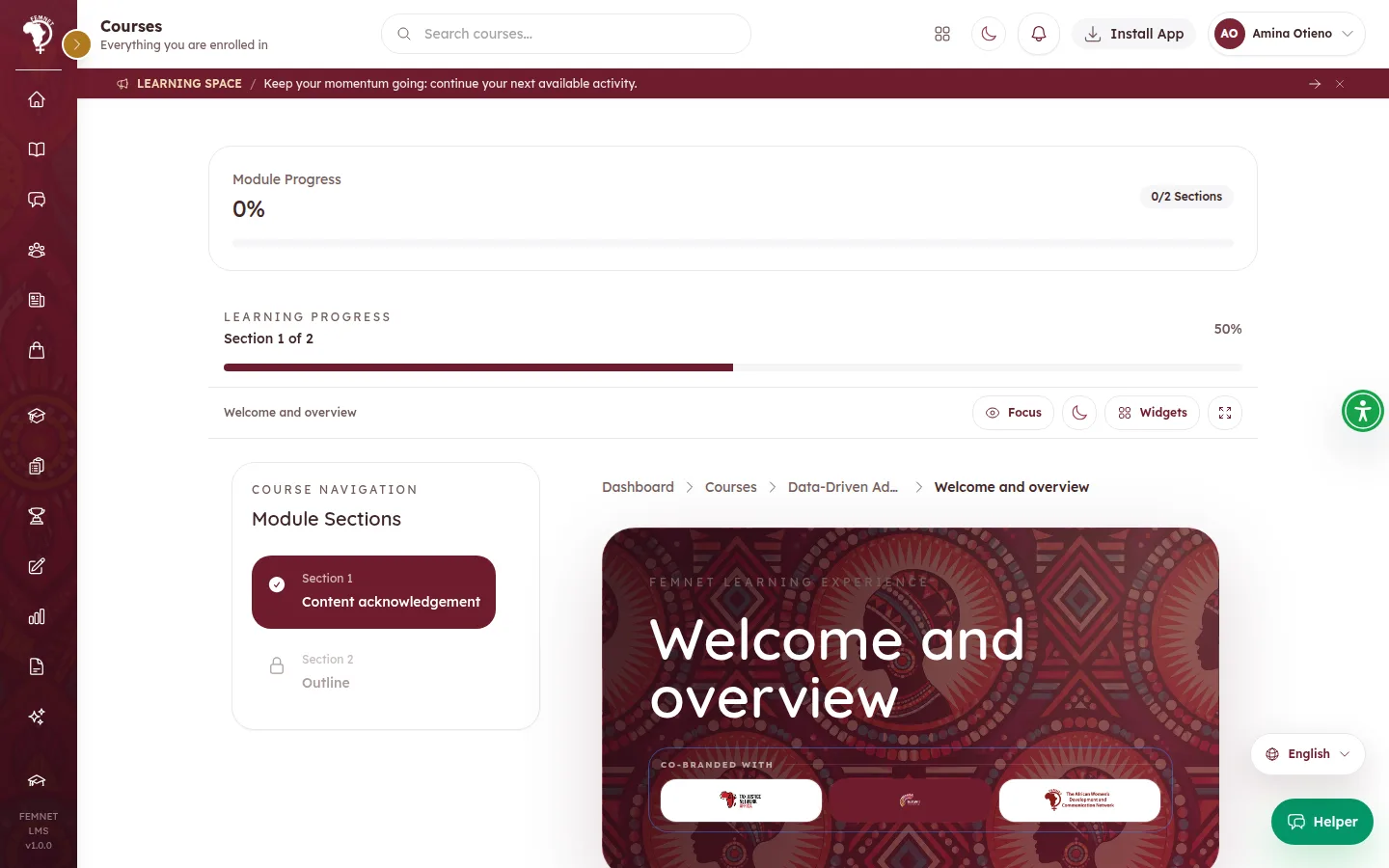
Complete each section
After reading or watching, the learner selects Complete and continue. Where a section has a , they must answer it correctly first; the button says Answer the practice check correctly to continue until they do.
- 4
Finish a module
At the end of a module, Module complete shows what is up next. The learner can share an optional and select Start next module.
- 5
Finish the course
When the course is complete, Course Completed shows their average grade and whether the certificate is unlocked. They can rate the course and their facilitator.
Step 1: Find the course