
Build a cohort pathway
Order courses into a journey with a starting line and finish line.
FacilitatorsDone in: Facilitator hub4 steps
- 1
Choose a cohort
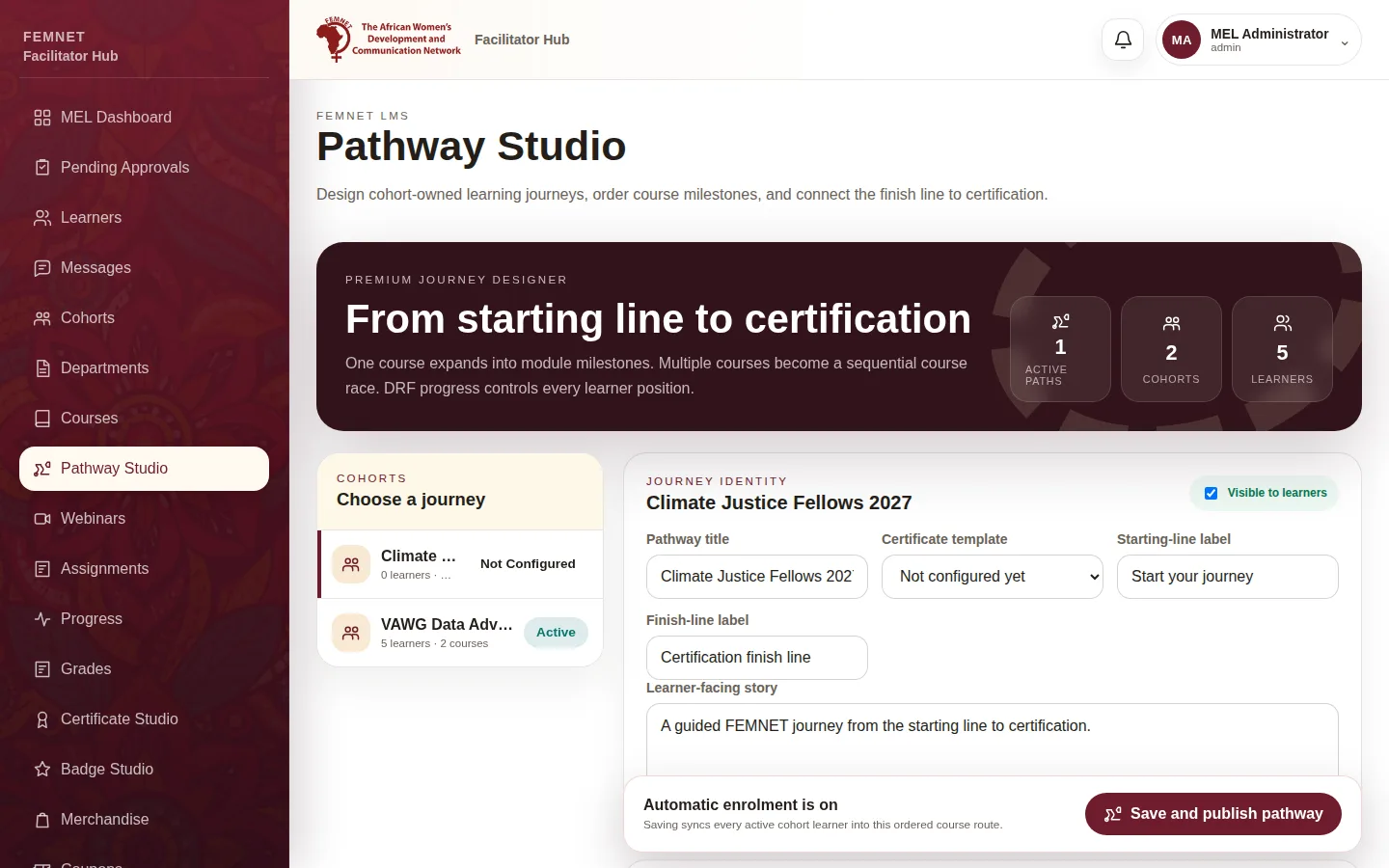
Select Pathway Studio and choose the cohort under Choose a journey. Each cohort has one .
- 2
Name the journey
Fill in the Pathway title, Starting-line label, Finish-line label and the Learner-facing story. Tick Visible to learners when ready.
- 3
Add courses in order
Under Course sequence, select Add course and pick each course. Use the arrows to move a course earlier or later. One course shows its modules; two or more show as Course 1 → Course 2 → Certification.
- 4
Save
Select Save and publish pathway. Every active learner in the cohort is enrolled in the courses on the route. The Learner preview shows what they see.
Step 1: Choose a cohort