
Schedule cohort webinars
Show a video at the start or end of a cohort's course.
FacilitatorsDone in: Facilitator hub3 steps
- 1
Open Webinars
Select Webinars in the hub menu.
- 2
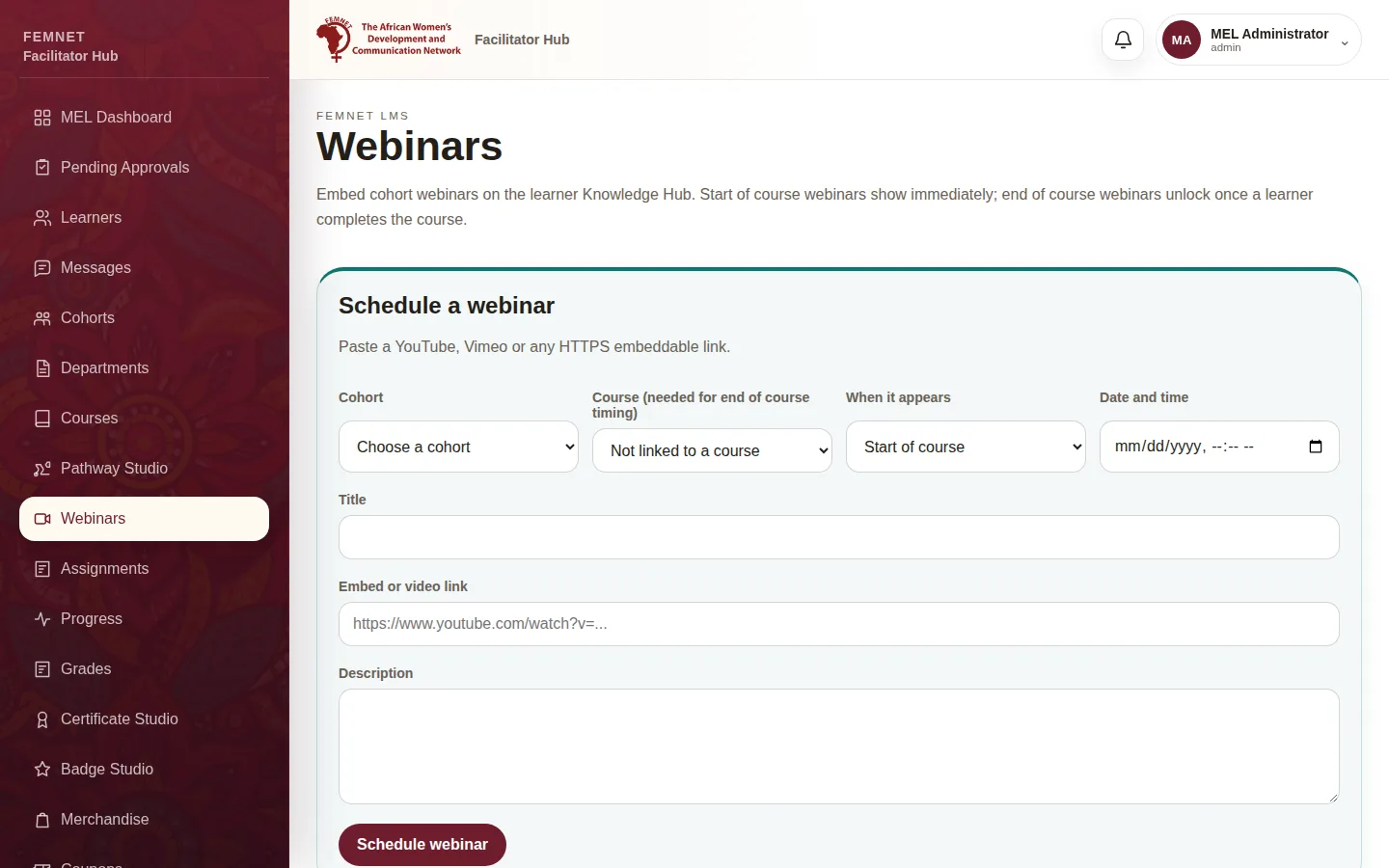
Fill in the webinar
Choose the Cohort, and the Course if it should appear at the end of a course. Under When it appears, choose Start of course or End of course. Add the date, Title, Description and a YouTube, Vimeo or HTTPS Embed or video link.
- 3
Schedule it
Select Schedule webinar. Learners in the cohort see it under Webinars on the Knowledge Hub. Select Delete to remove one.
Step 1: Open Webinars