
Track progress and grades
Follow each learner's course completion and review quiz attempts.
FEMNET staffDone in: Facilitator hub4 steps
- 1
Open Progress
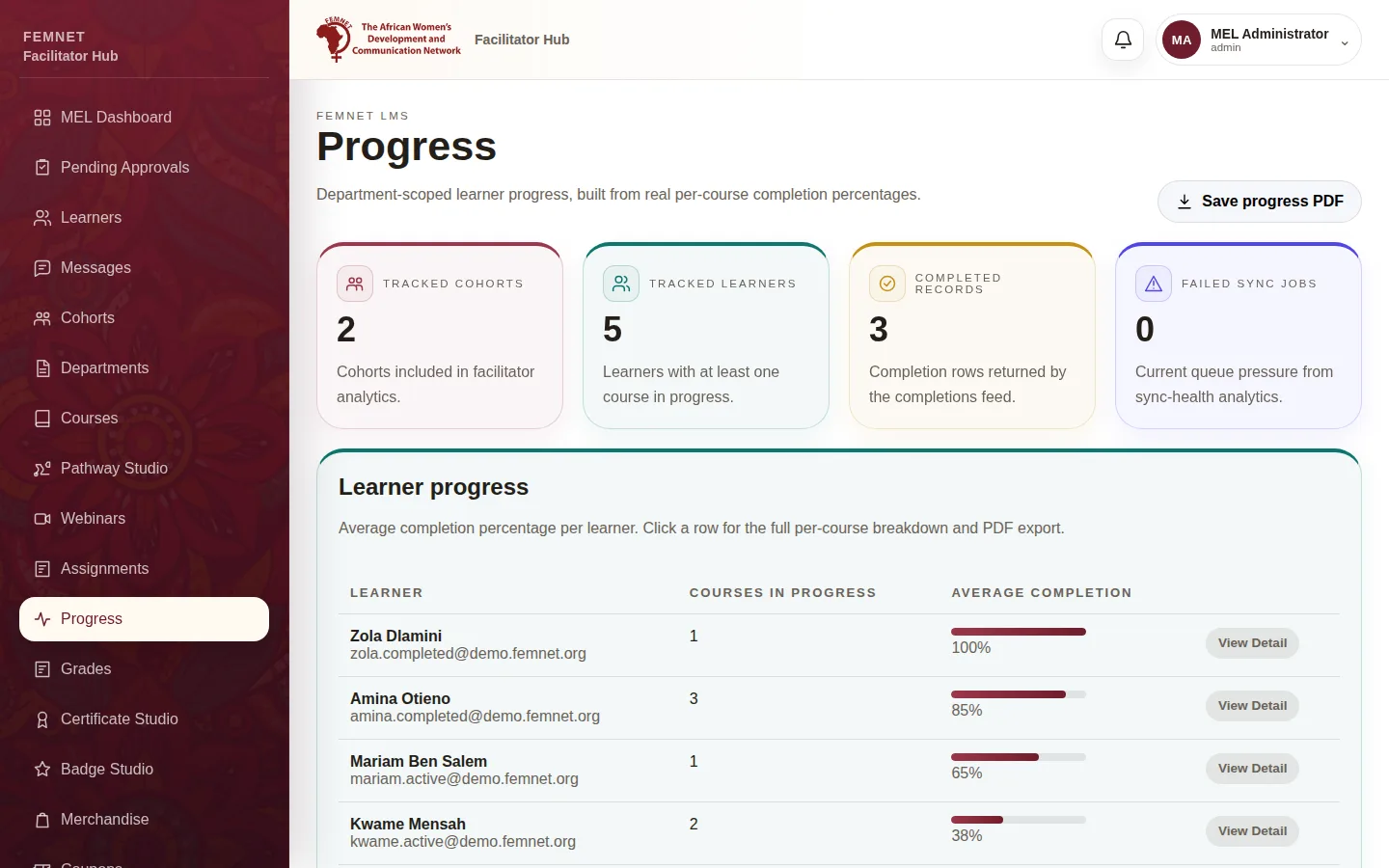
Select Progress in the hub menu. Learner progress lists each learner with the number of courses in progress and their average completion.
- 2
Open one learner's breakdown
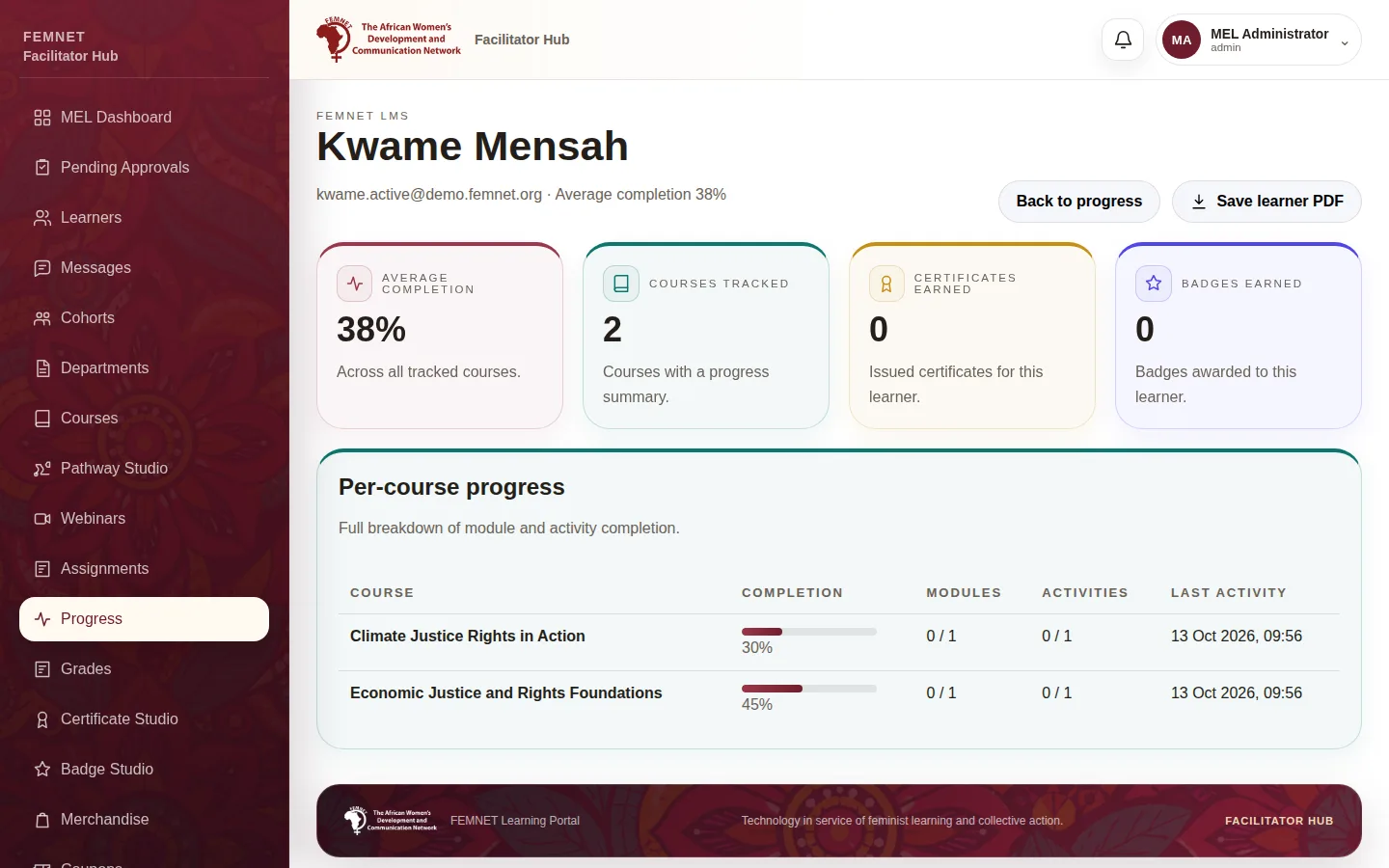
Select a learner row to see Per-course progress: completion, modules, activities and last activity for each course, plus certificates and badges earned. Select Save learner PDF to keep a copy.
- 3
See completed courses
Back on Progress, Completion feed lists learners who have reached 100 percent in a course.
- 4
Open Grades
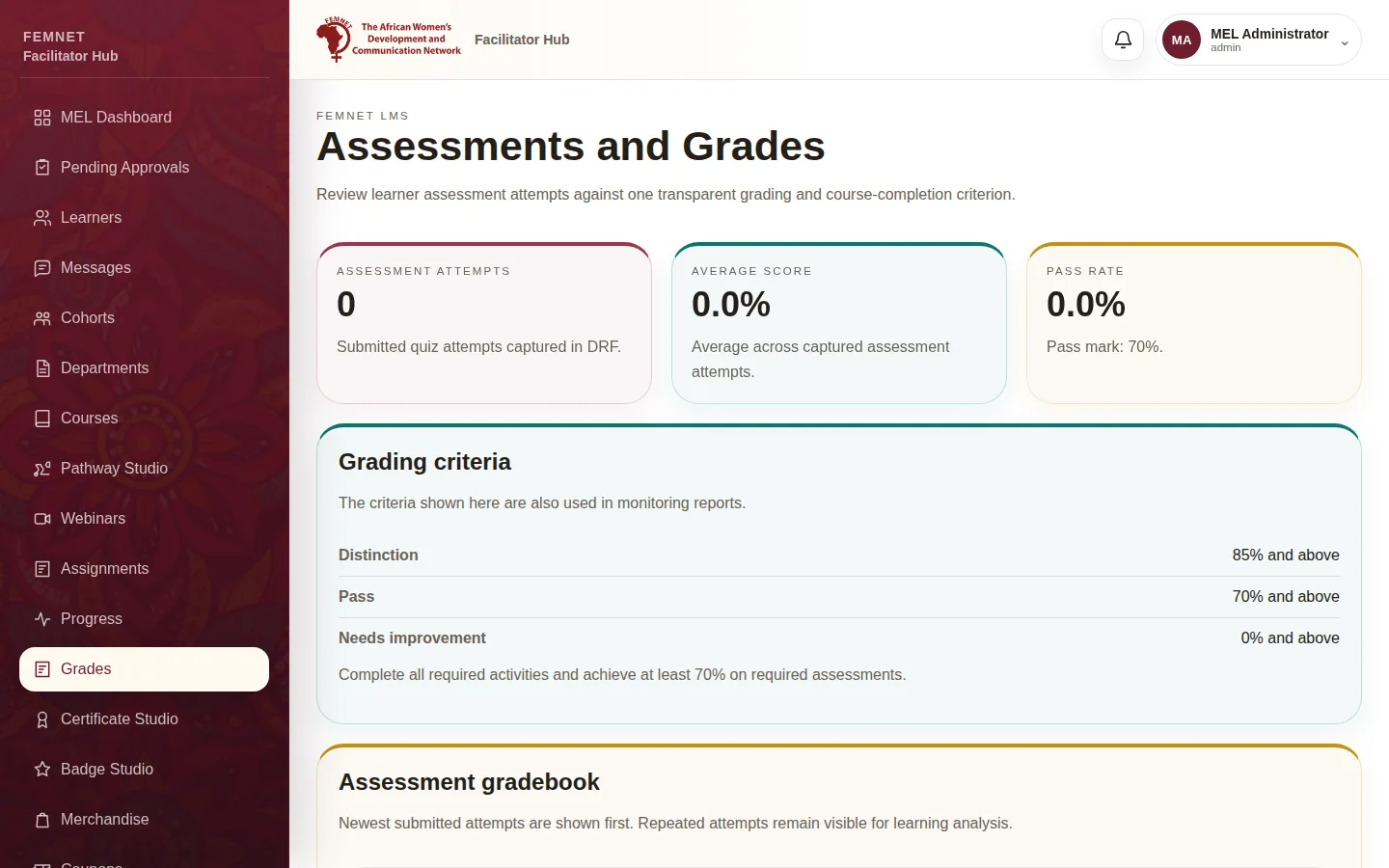
Select Grades in the hub menu to see every quiz attempt with the learner, course, score and status. The Grading criteria card shows the used everywhere in reports.
Tip: Repeated attempts stay in the list so you can see how a learner improved.
Step 1: Open Progress