
Look up a learner
Find a learner, update their details, reset their password or change their access.
- 1
Find the learner
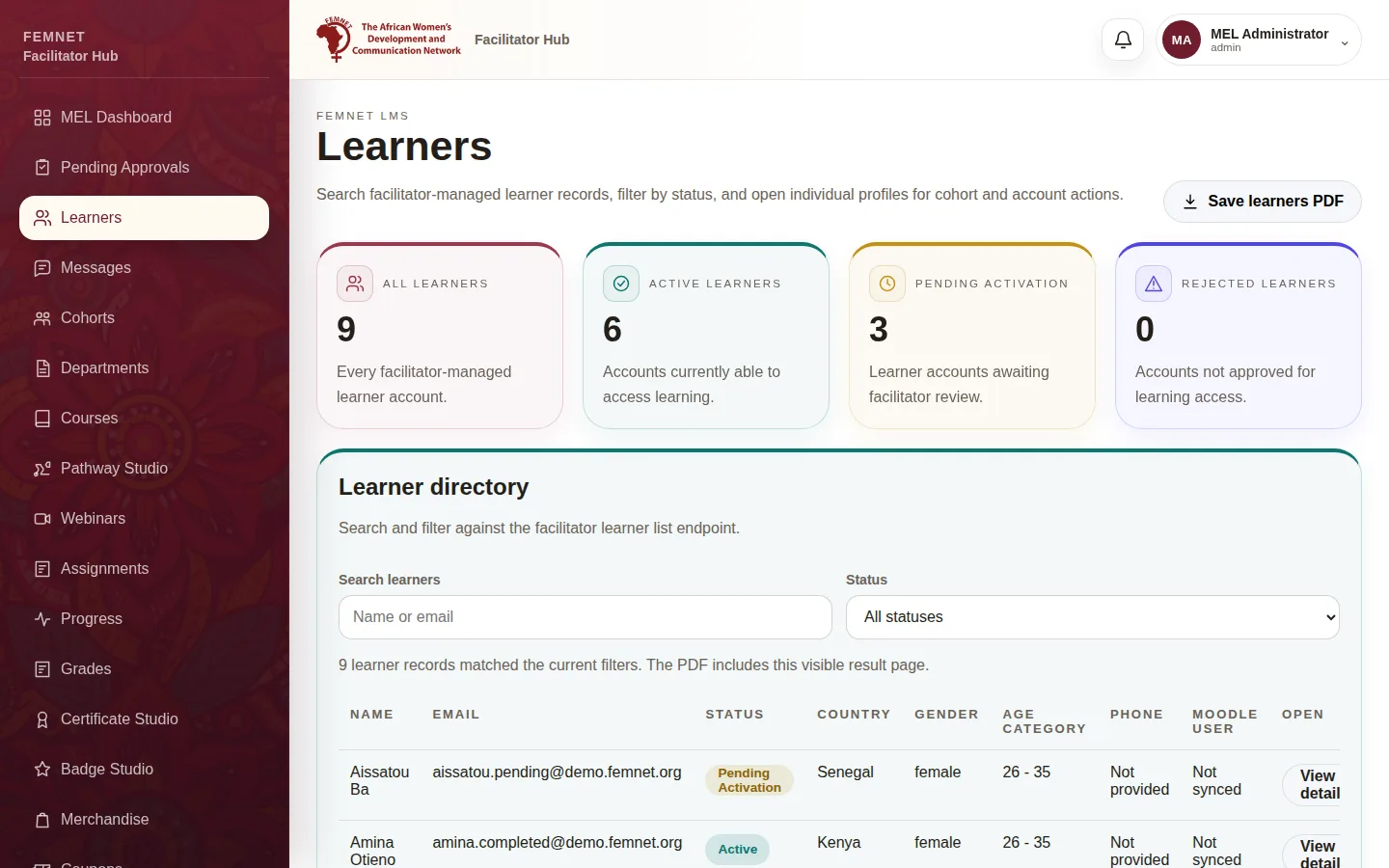
Select Learners. Search by name or email, or filter by Status. Select View detail to open the record.
- 2
Update details
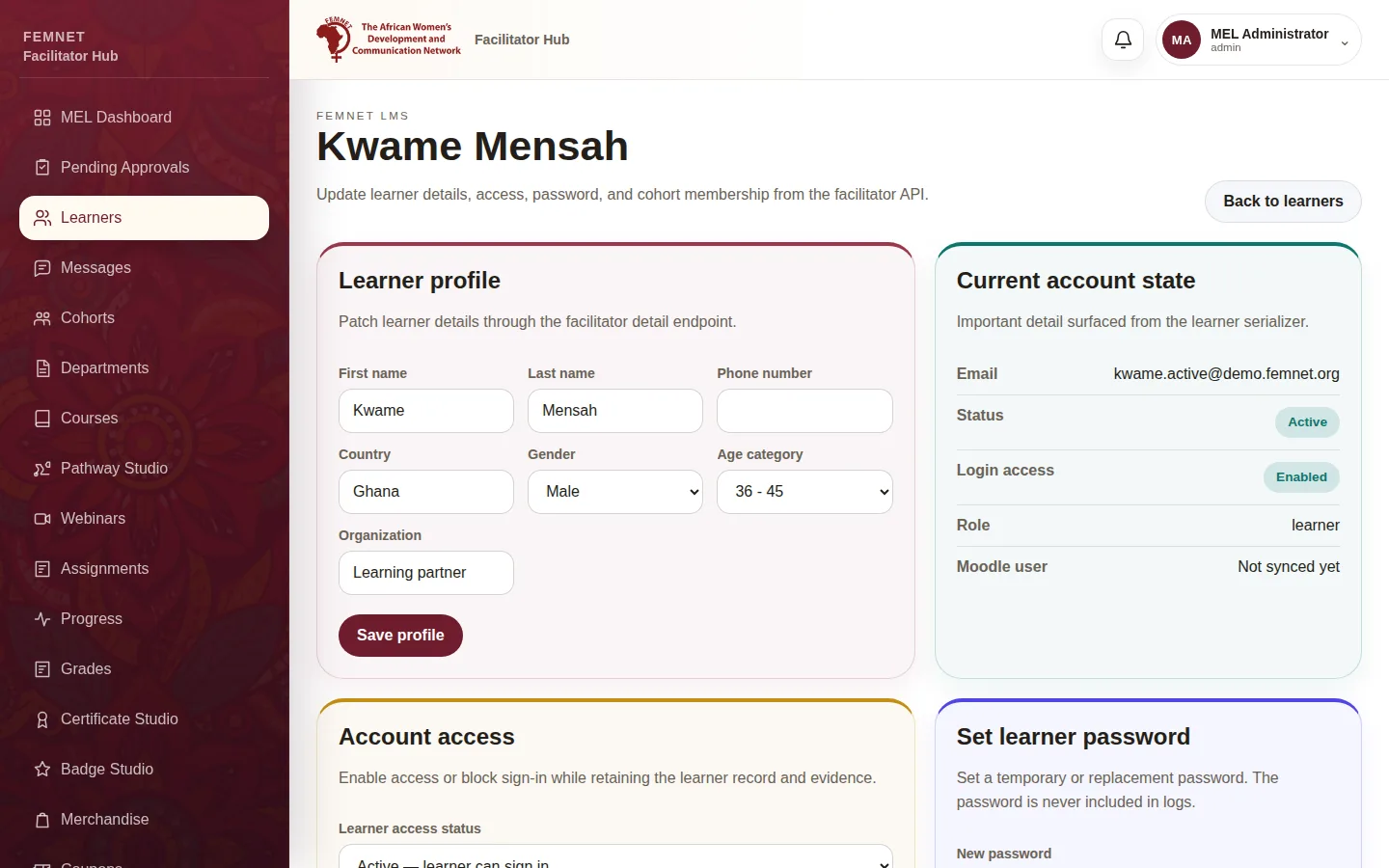
Under Learner profile, correct their name, phone, country, gender, age category or organisation and select Save profile.
- 3
Change access
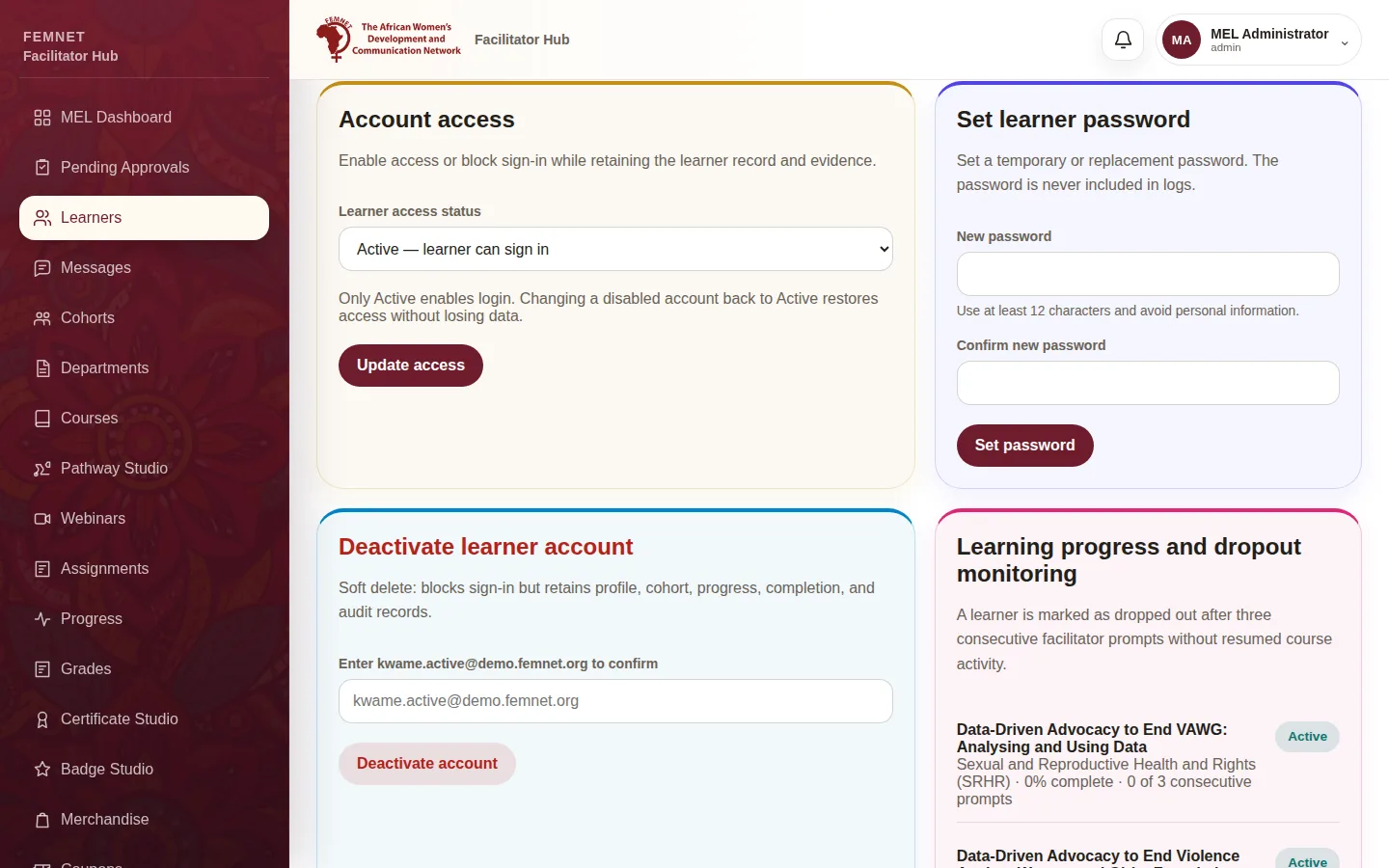
Under Account access, choose a Learner access status. Only Active lets them sign in; Suspended or Rejected block sign-in but keep their data. Select Update access.
- 4
Reset a password
Learners cannot reset their own password from the sign-in page. Under Set learner password, enter a new password of at least 12 characters twice and select Set password, then share it with the learner securely.
- 5
Cohorts and check-ins
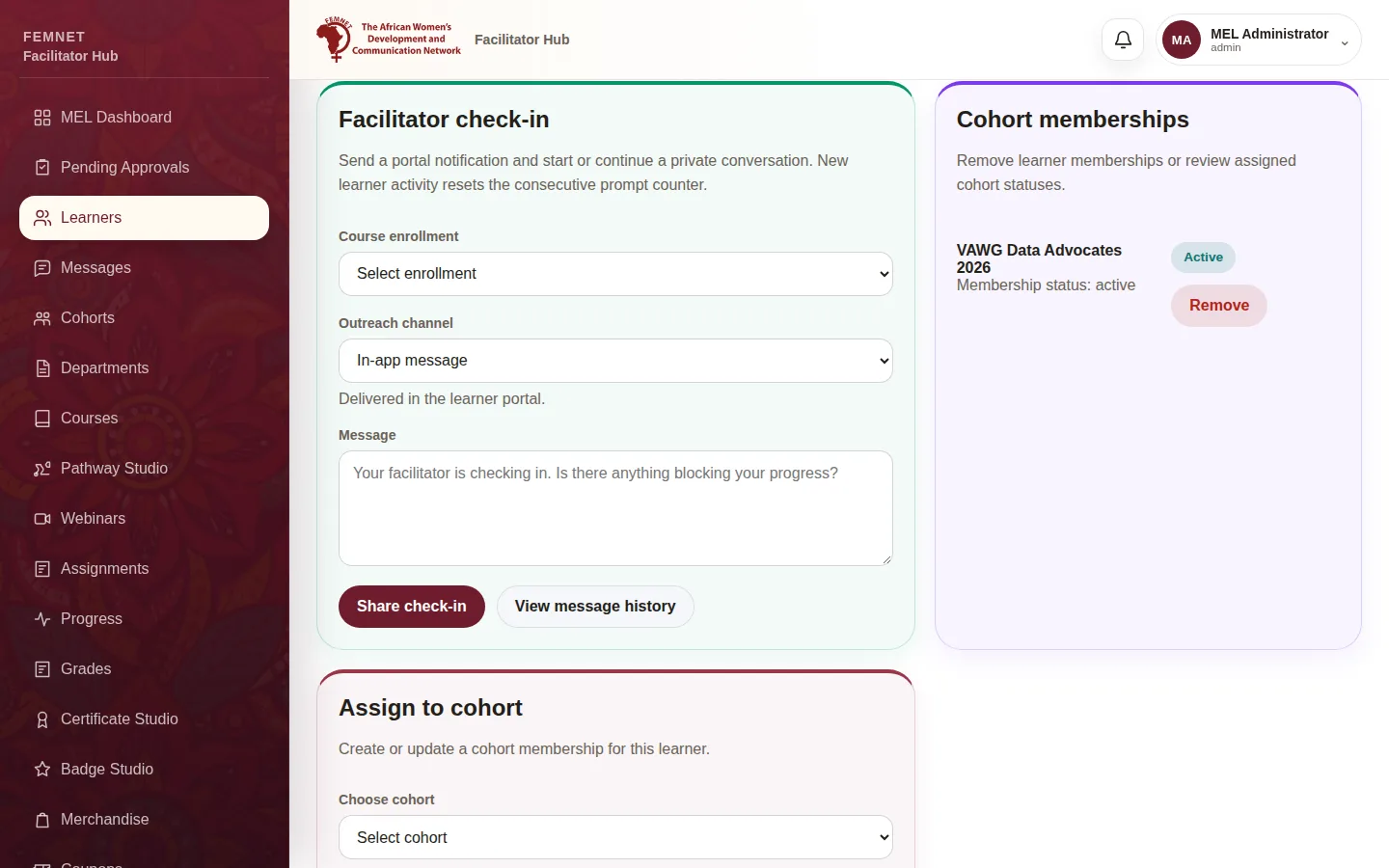
Use Assign to cohort to place them in a cohort. Facilitator check-in sends a nudge about a course (see Message and check in with learners).
Step 1: Find the learner